Managing Team Roles and Permissions
Last updated: October 16, 2026
This guide explains how to manage team roles and permissions from your API Dashboard. Roles determine the level of access each team member has to dashboard features and actions, and you can assign, update, or remove roles to control operational and administrative access.
The dashboard supports three distinct roles, each with a different level of access:
Admin: Full access to all sections of the API Dashboard.
Treasury: Can manage wallet addresses, including the ability to add, delete, approve, enable, disable, and deny wallet addresses.
View: Read-only and limited administrative access, including the ability to view and export transactions, view and export balances, view and create API keys, view and create webhooks, and invite or delete team members.
Follow the steps below to update a team member's role:
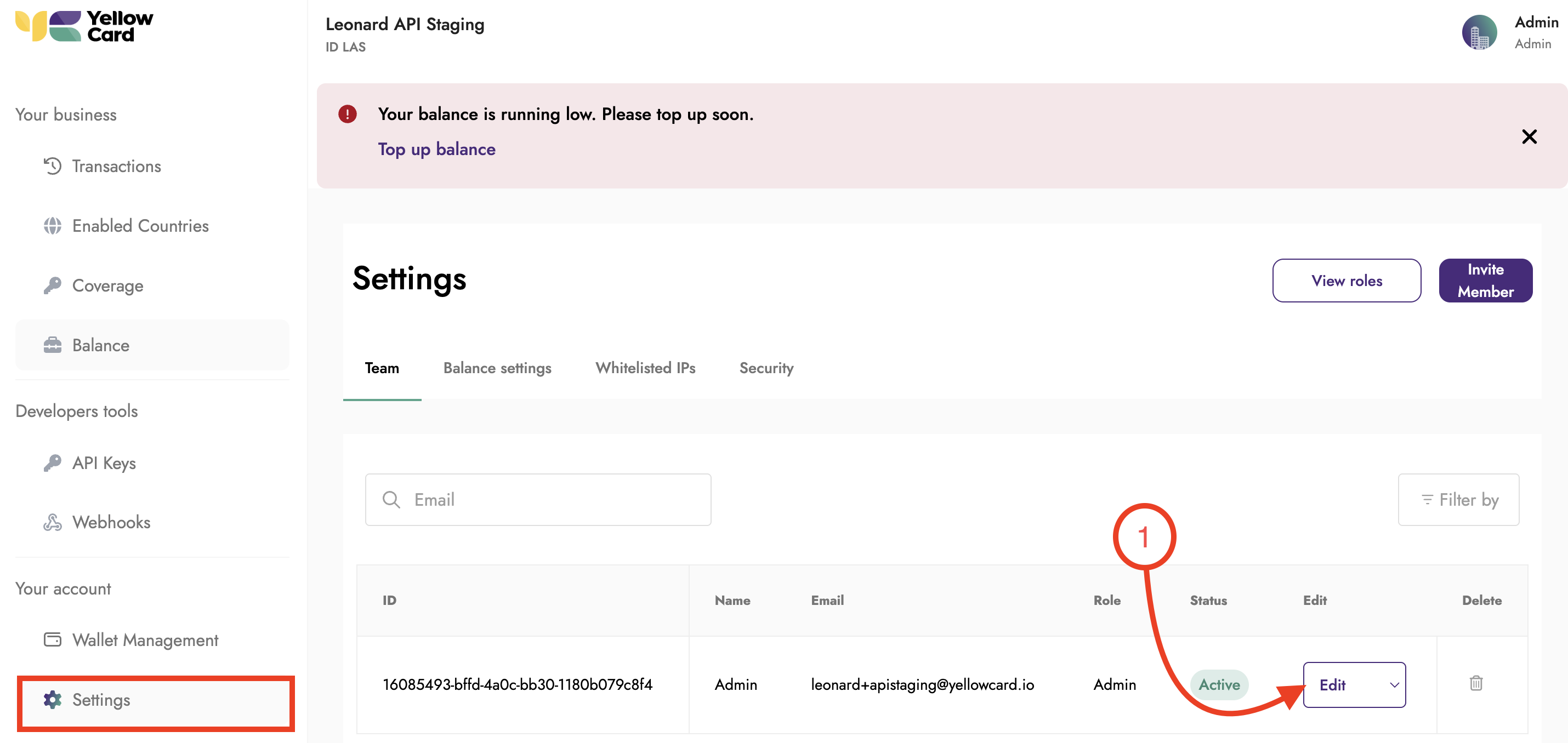
Log in to your API Dashboard and scroll down to Settings, then select Edit next to the team member you want to update.
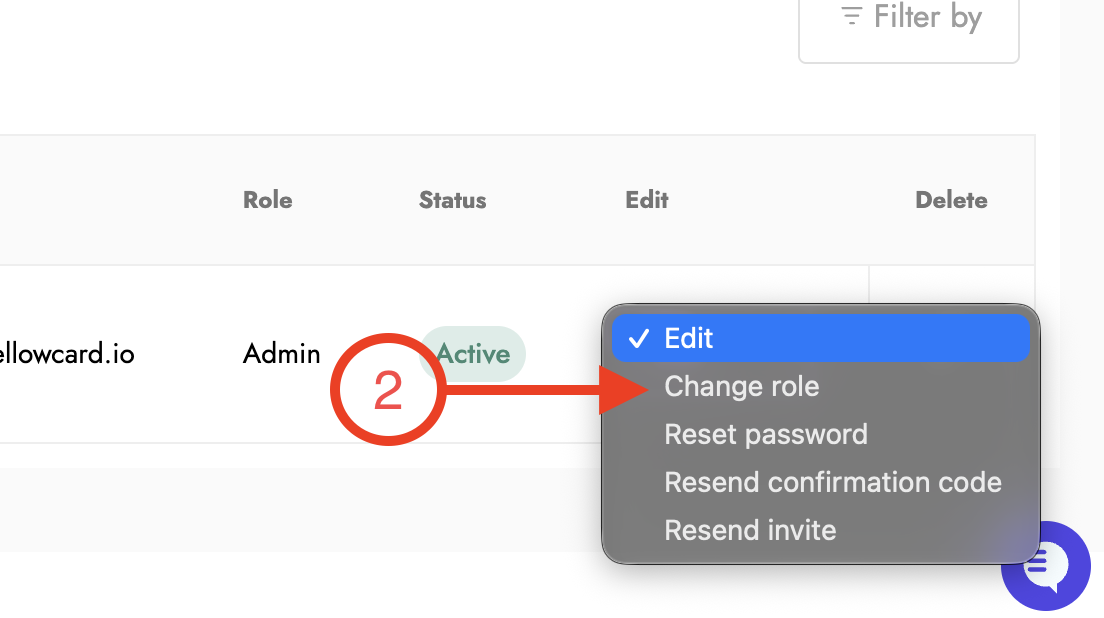
Click on Change Roles.
In the pop-up window, select the new role from the drop-down list and click Apply.
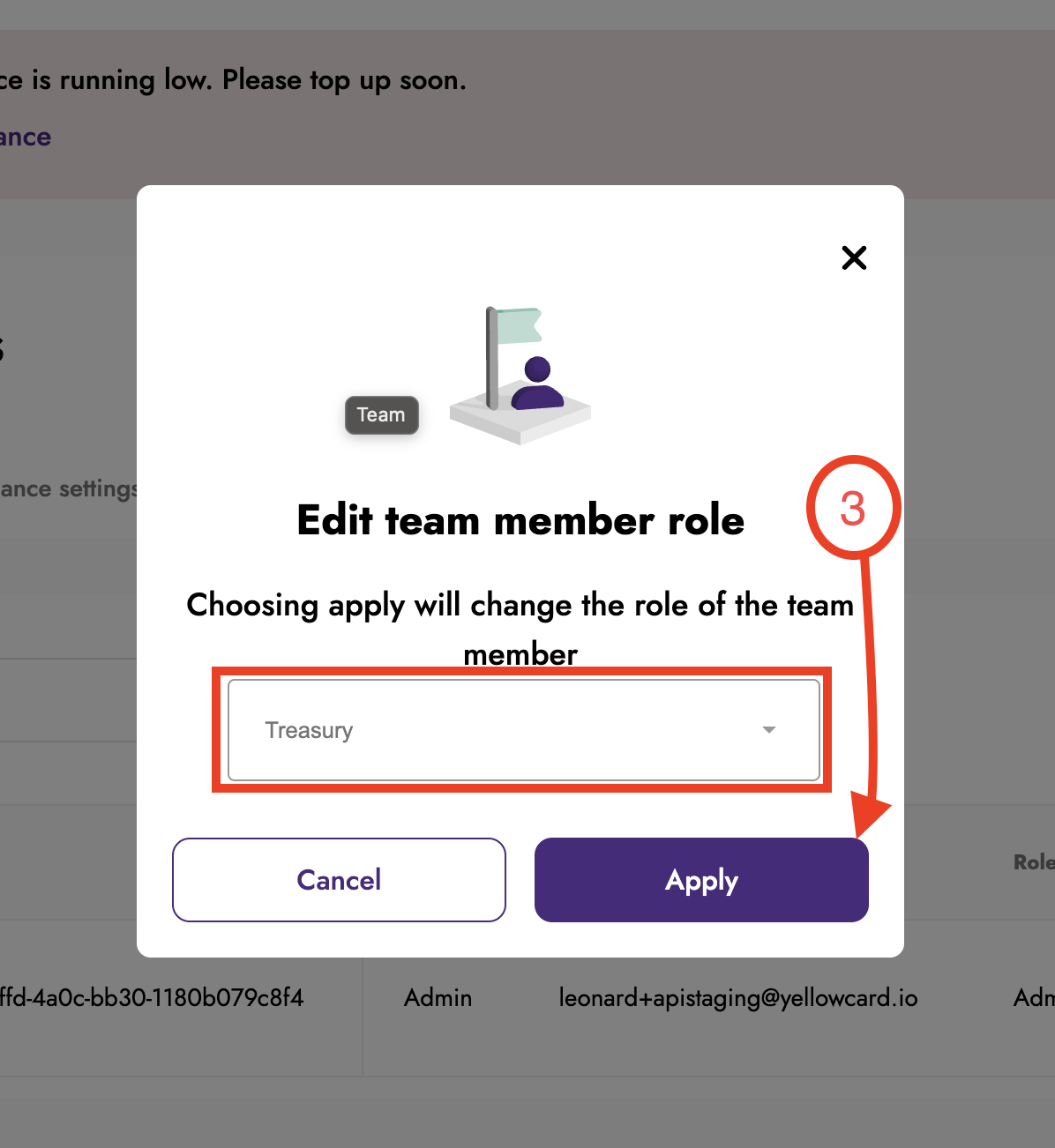
The role update takes effect immediately.