IP Address Whitelisting
Last updated: September 28, 2026
This guide explains what IP address whitelisting is and how to whitelist your IP address on your API Dashboard. IP address whitelisting is a security control that restricts access to your API, or related actions, to a predefined list of approved IP addresses.
When this feature is active, the system only permits requests from approved IP addresses and rejects all others, serving as a protective measure for your account.
Follow the steps below to whitelist your IP address:
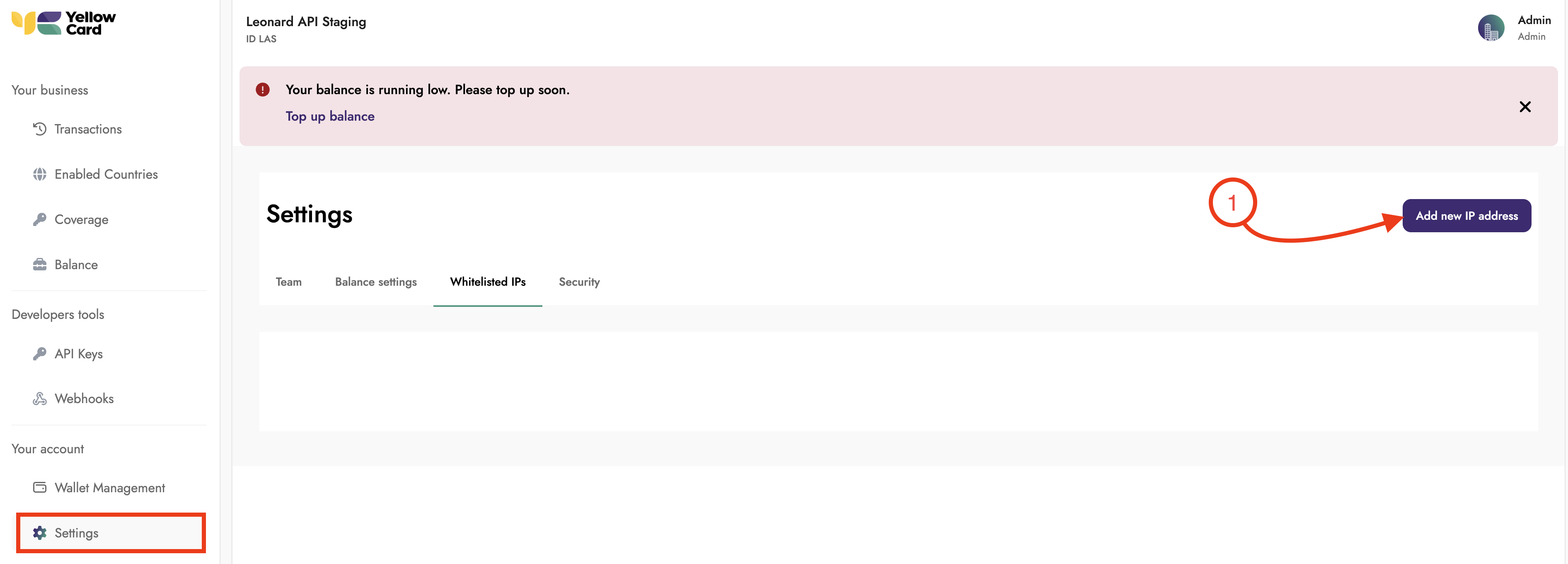
Log in to your API dashboard, scroll to Settings, click the Whitelisted IPs tab, and then click Add New IP Address.
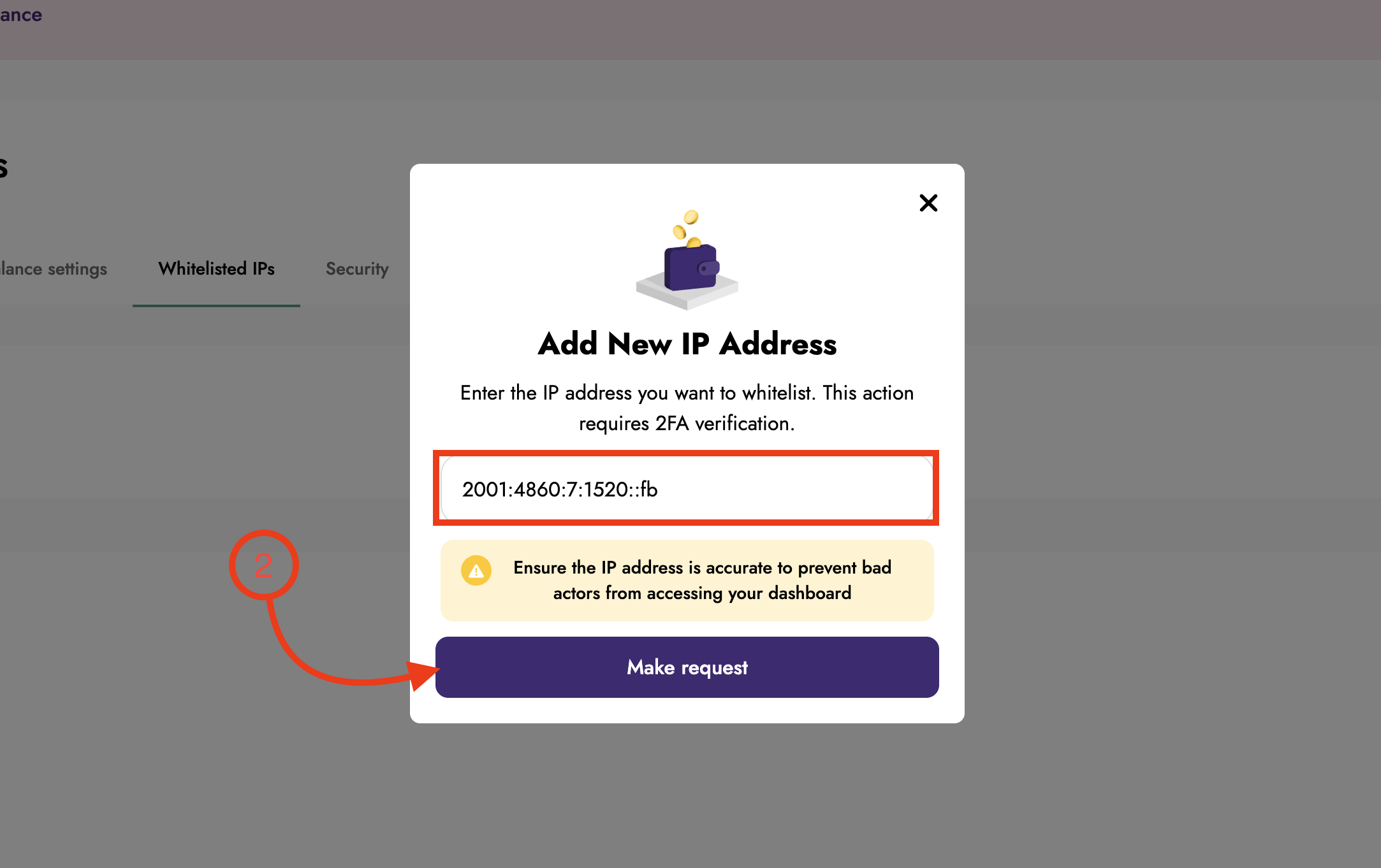
Enter your IP address in the pop-up window and click Make request.
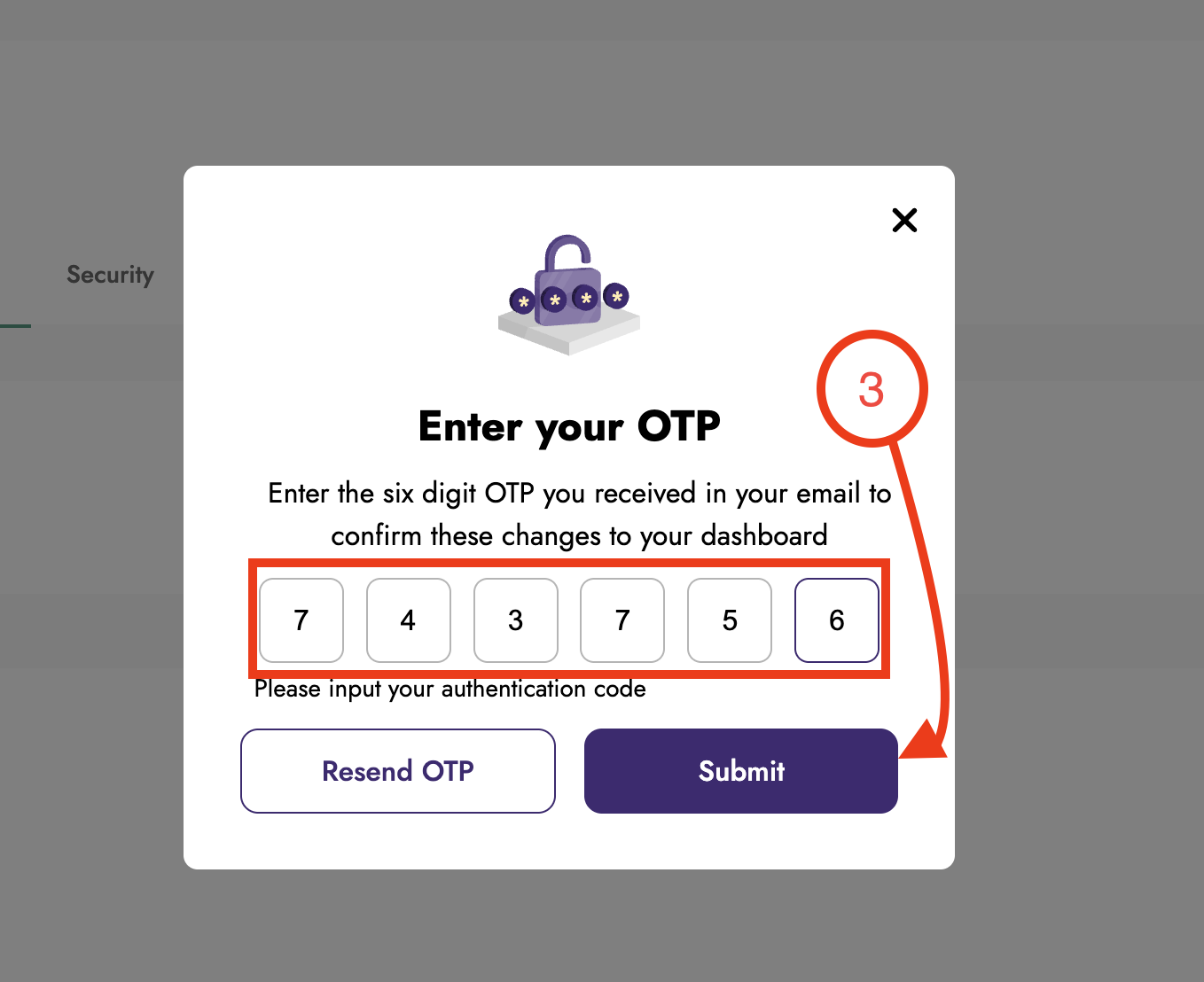
An OTP code will be sent to your registered email address. Enter the OTP code in the pop-up window and click Submit.
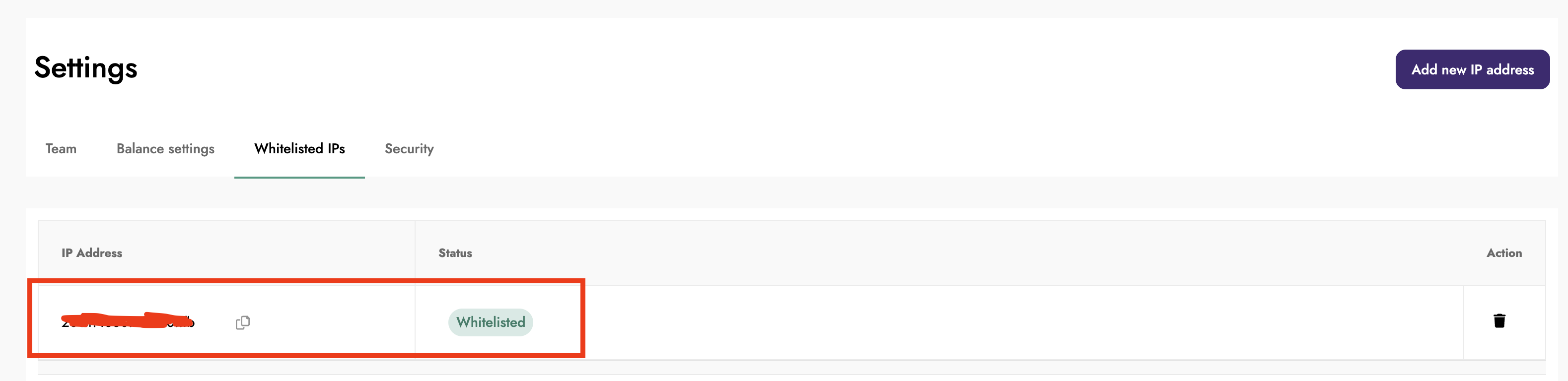
Upon successful submission, your address becomes whitelisted.