How to invite team members to your API dashboard
Last updated: October 15, 2026
This guide explains how to invite team members to your API Dashboard and assign or unassign roles.
The platform offers three distinct permission levels you can assign to a new team member:
Admin: Transaction & account access
Treasury: Transaction access
View: View-only access
Follow the steps below to invite a team member:
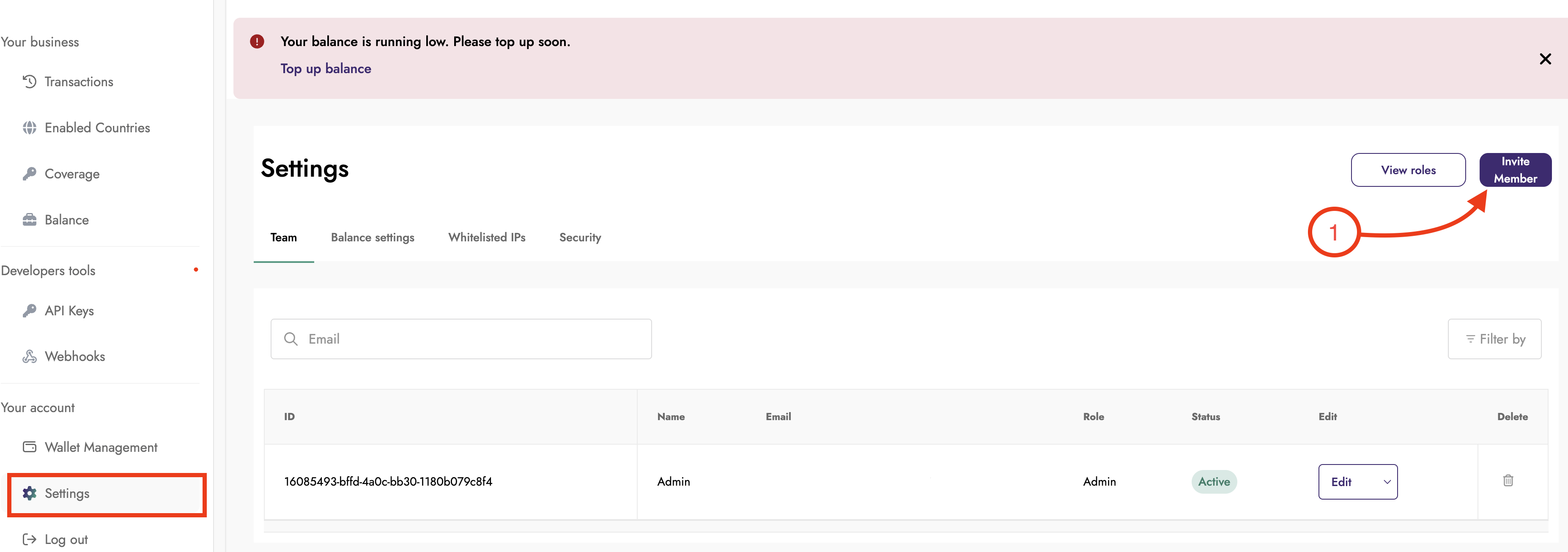
Log in to your Dashboard, scroll to Settings, and click Invite Member.
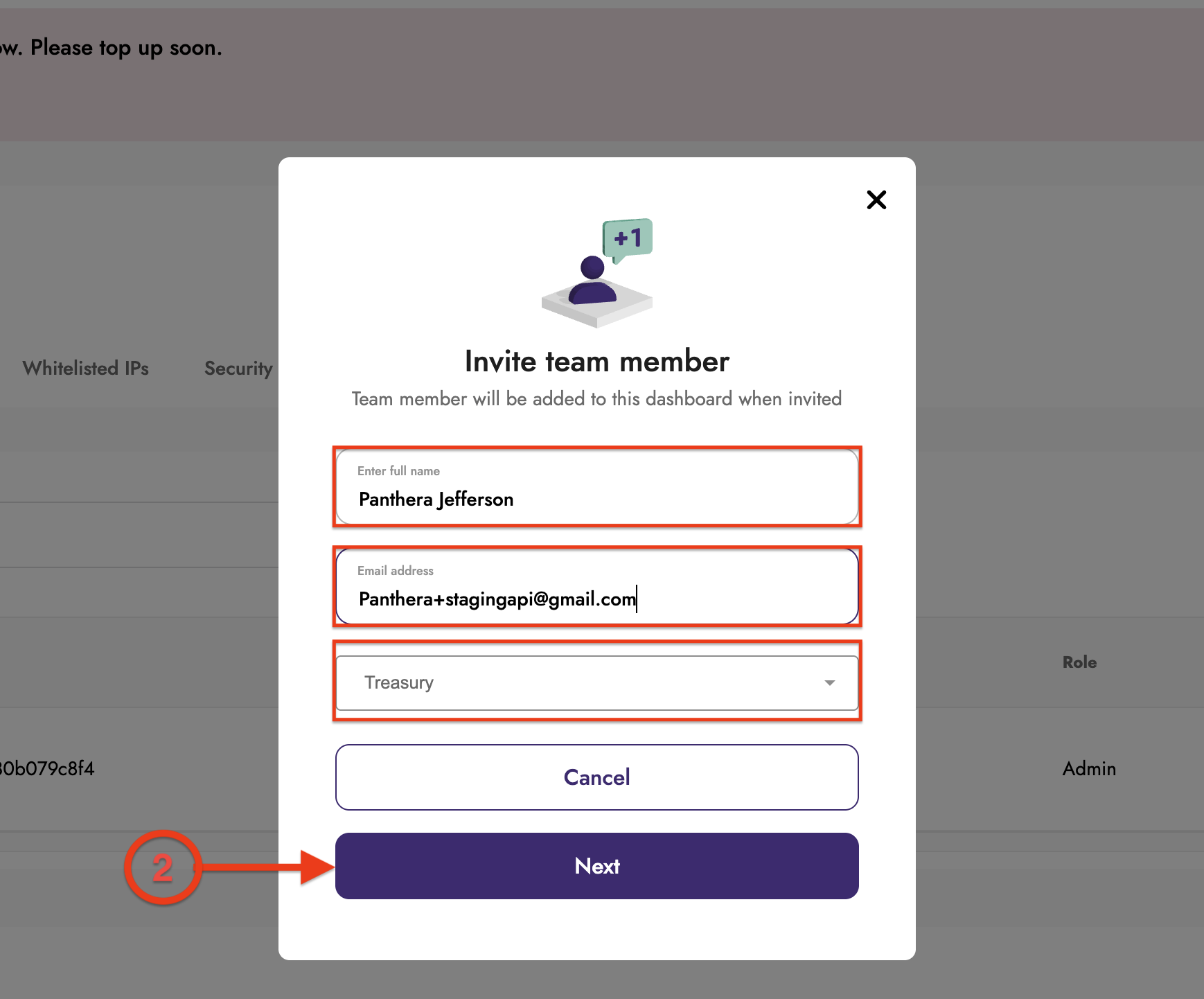
Enter the member’s full name and email address, select the role to assign, and click Next.
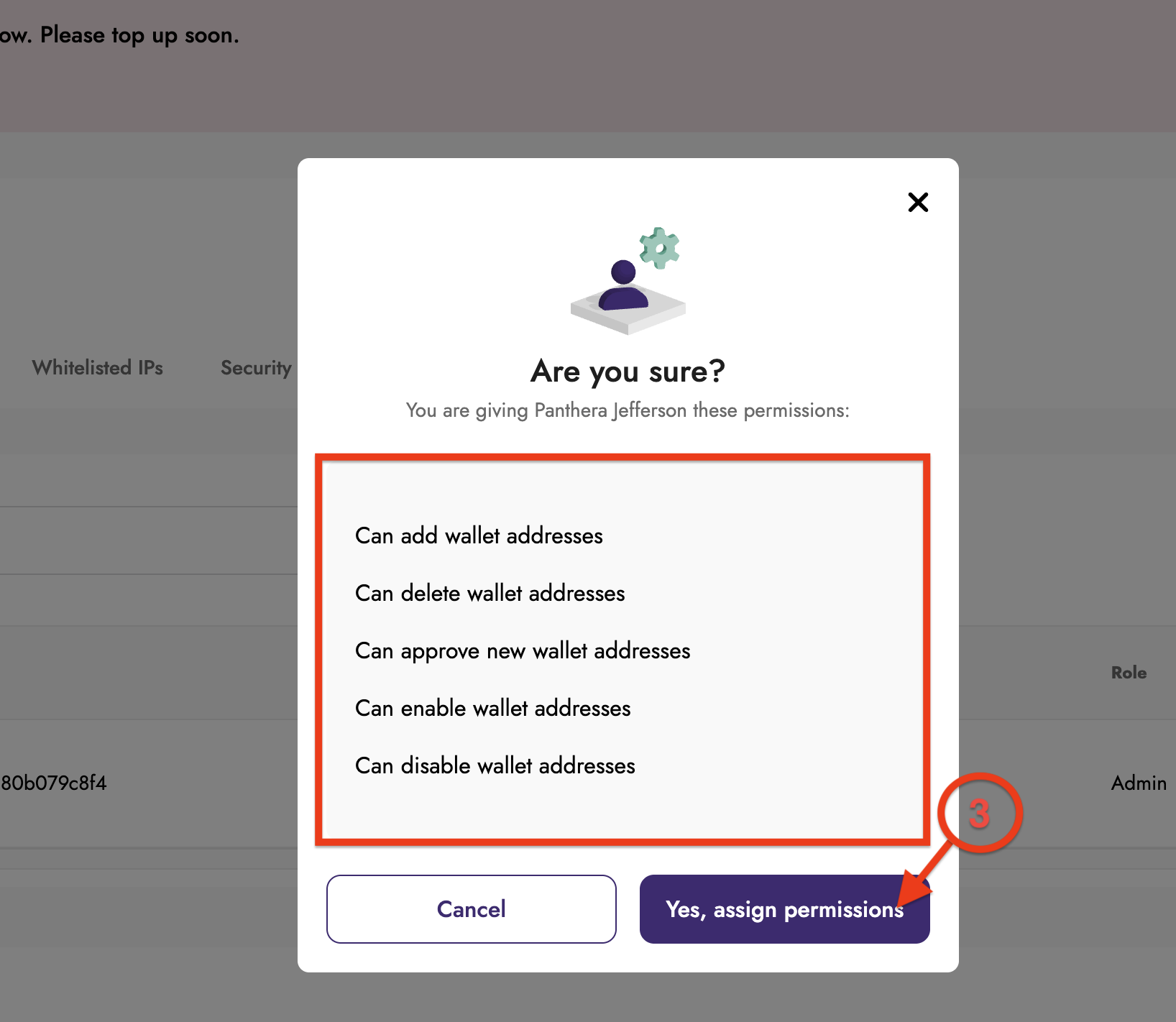
Review the assigned permissions and click Yes, assign permissions to confirm.
The new team member has been added to your dashboard based on their assigned role.