How to Add a wallet Address to Your API dashboard
Last updated: October 14, 2026
This guide explains how to add a wallet address to your API Dashboard and how to send funds once the wallet has been approved. To maintain security and operational controls, a wallet address must be added and approved before you can send funds out of your API Dashboard.
Before you begin, keep the following in mind:
Wallet approvals are subject to role-based permissions.
Check this article to see the supported digital assets.
Follow the steps below to add a wallet address:
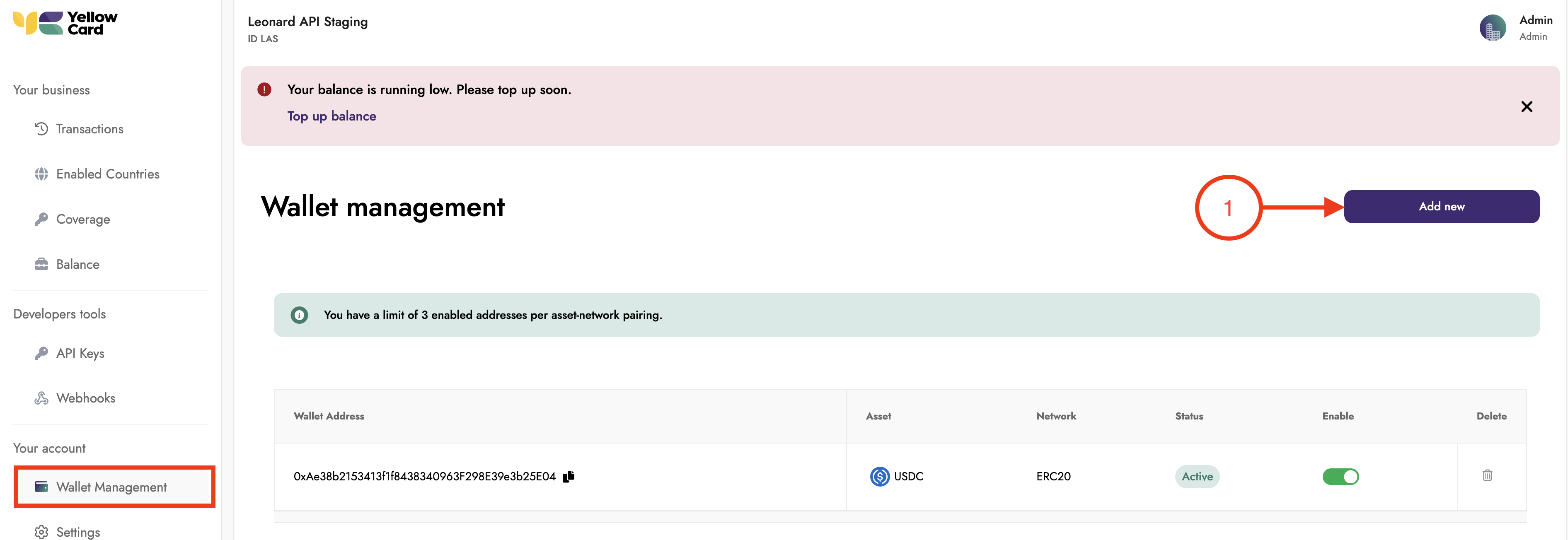
Log in to your API Dashboard, navigate to Wallet management, and click on Add new.
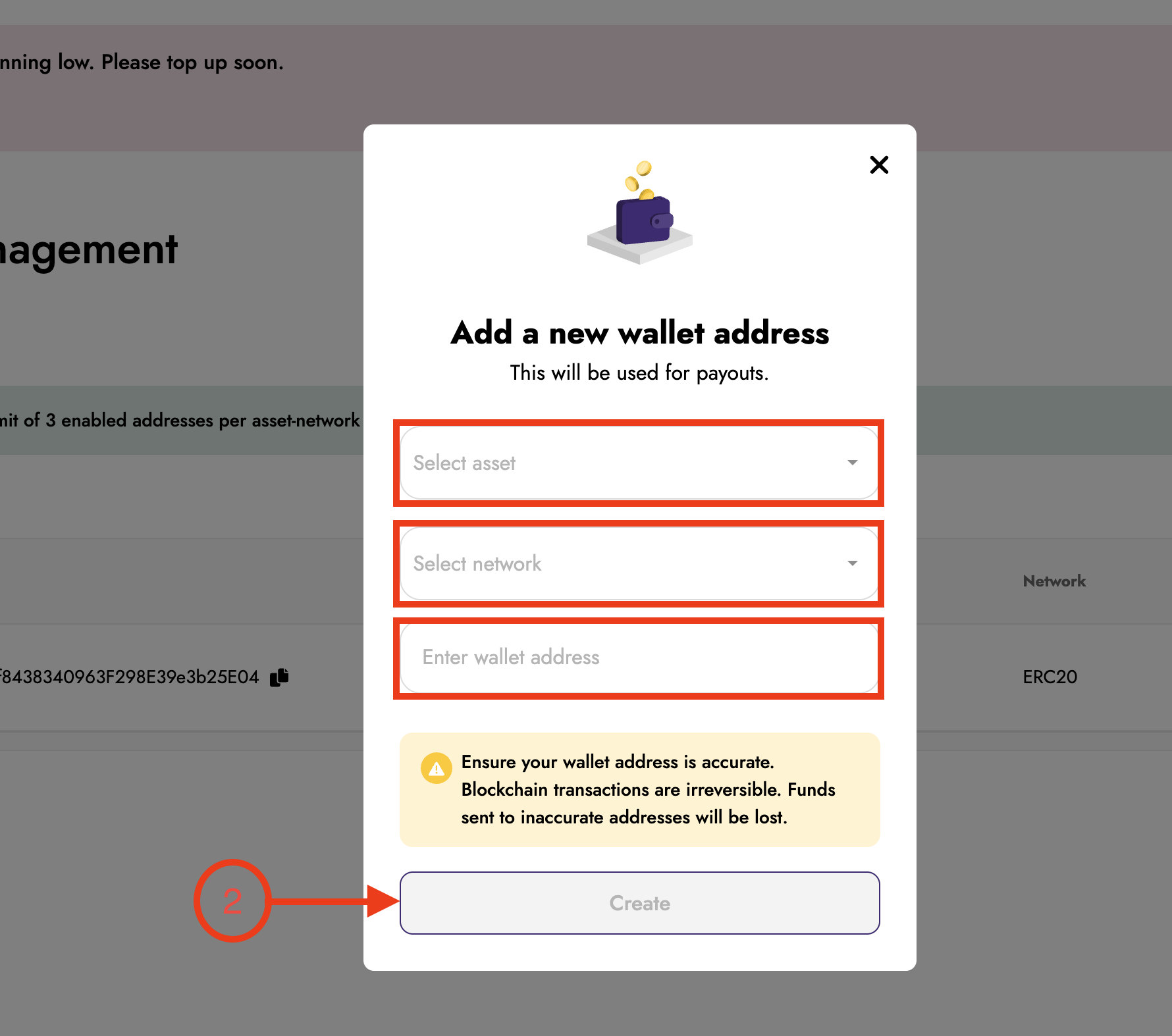
Provide the Asset, Network, and wallet address, then click on Create to submit the request.
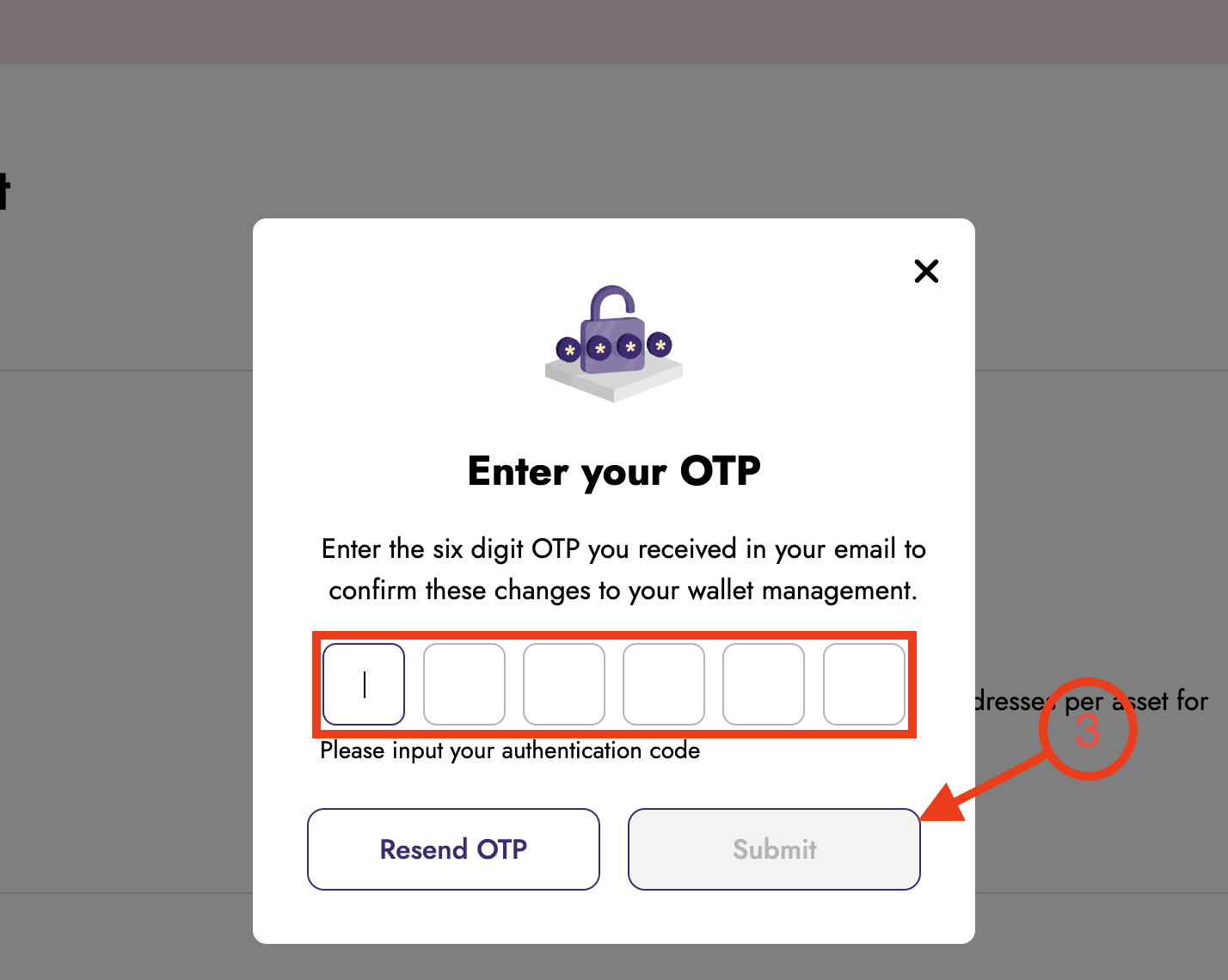
An email containing a one-time password (OTP) will be sent to your registered email address. Enter the OTP in the verification modal and click Submit.
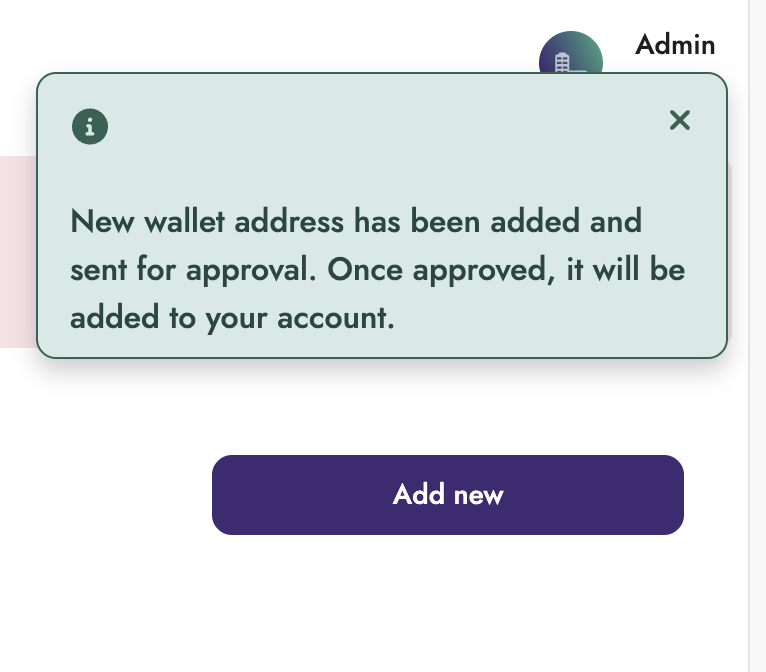
Once submitted, the wallet address is added and placed in a pending approval state.
The wallet must be reviewed and approved by a user with the Treasury role; the user who added the wallet cannot approve it.
Once your wallet has been approved, you can proceed to make a withdrawal.