Sending Funds From Your API Dashboard
Last updated: September 27, 2026
This guide explains how to send funds from your API Dashboard to an external wallet address. Because withdrawals require recipient identification details, you must provide information that complies with Travel Rule regulations.
Before you can withdraw funds, you must complete the following:
Add the beneficiary details you plan to use for withdrawals on the Payment Details page in your API Dashboard.
If you are using directSettlement=false for payouts, ensure your Yellow Card wallet has sufficient balance before initiating withdrawals, since the Yellow Card wallet is debited for each withdrawal. Insufficient balance will cause your withdrawal to enter "pending liquidity" status.
Follow the steps below to send funds from your API Dashboard:
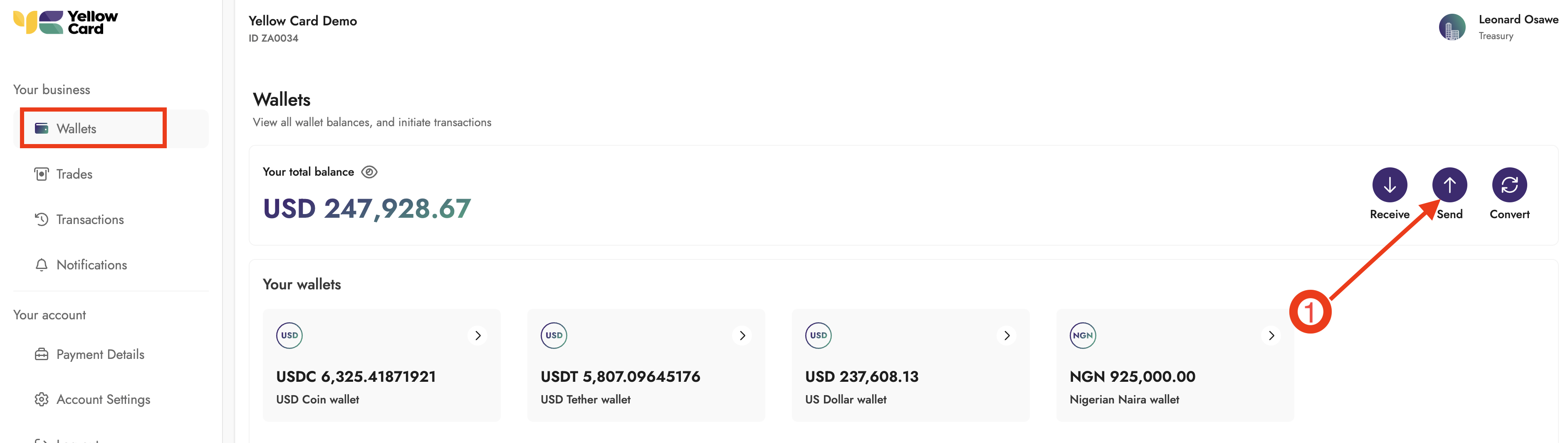
Log in to your API Dashboard, navigate to the Wallets section, and click Send.
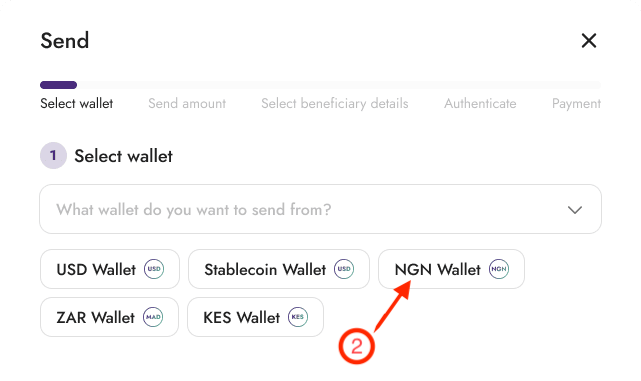
Select the wallet you are sending from.
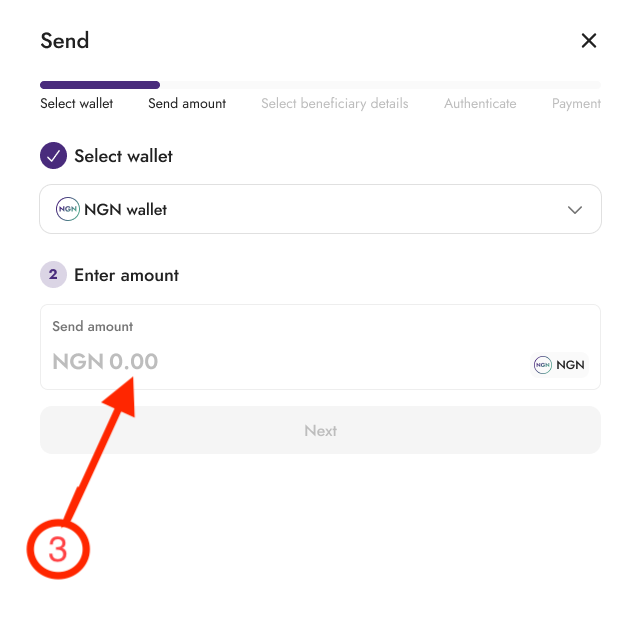
Enter the amount you want to send and click Next.
Select the destination beneficiary details from your saved beneficiaries and click Next.
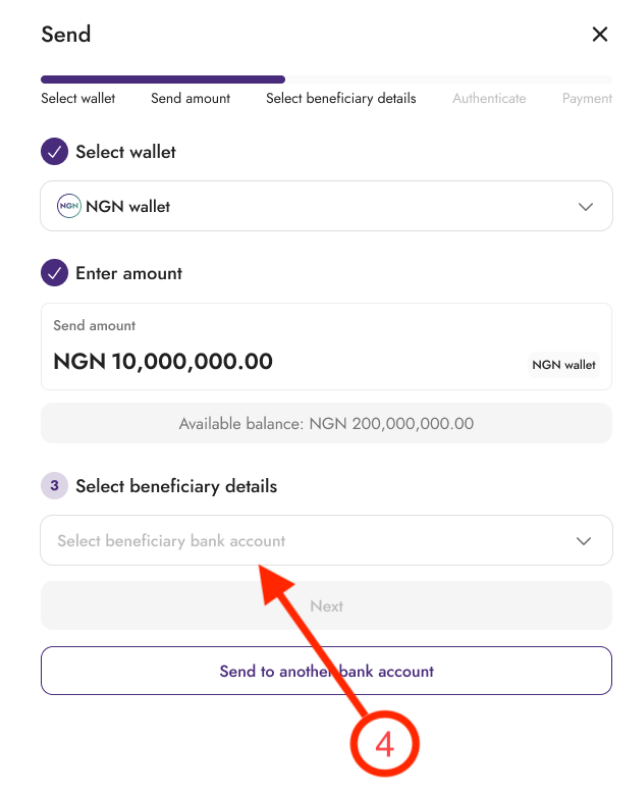
Enter your 2FA code and click Next to review your transaction details.
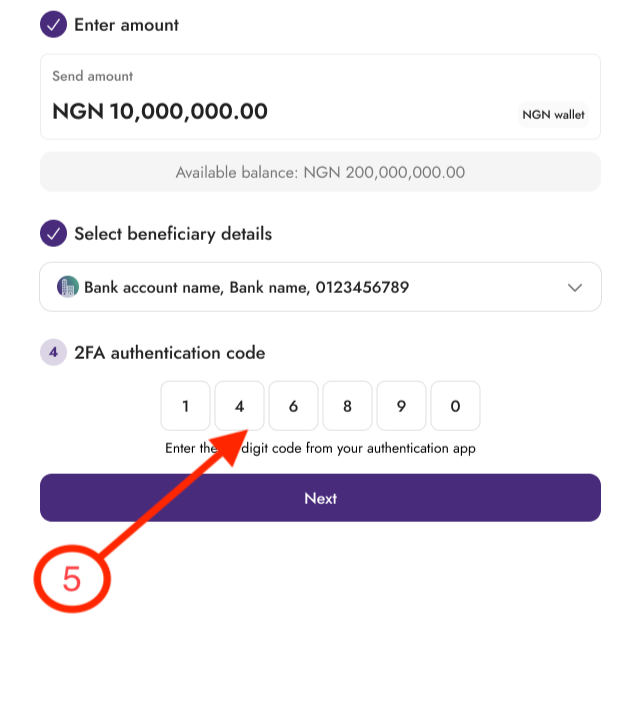
Review the information and click Confirm.
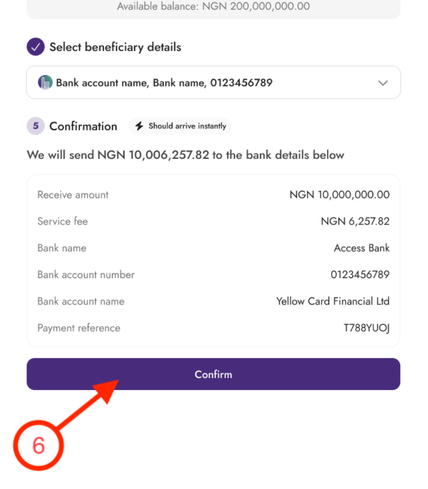
Once confirmed, we will submit your request for processing.