How to Send Local Currency (Fiat) from the Treasury Portal
Last updated: September 17, 2026
This guide explains how to send local currency (fiat) from your Treasury Portal dashboard. You can initiate a send transaction directly from the Wallets section and send funds to a saved beneficiary or a new bank account.
Follow the steps below to send local currency from the Treasury Portal:
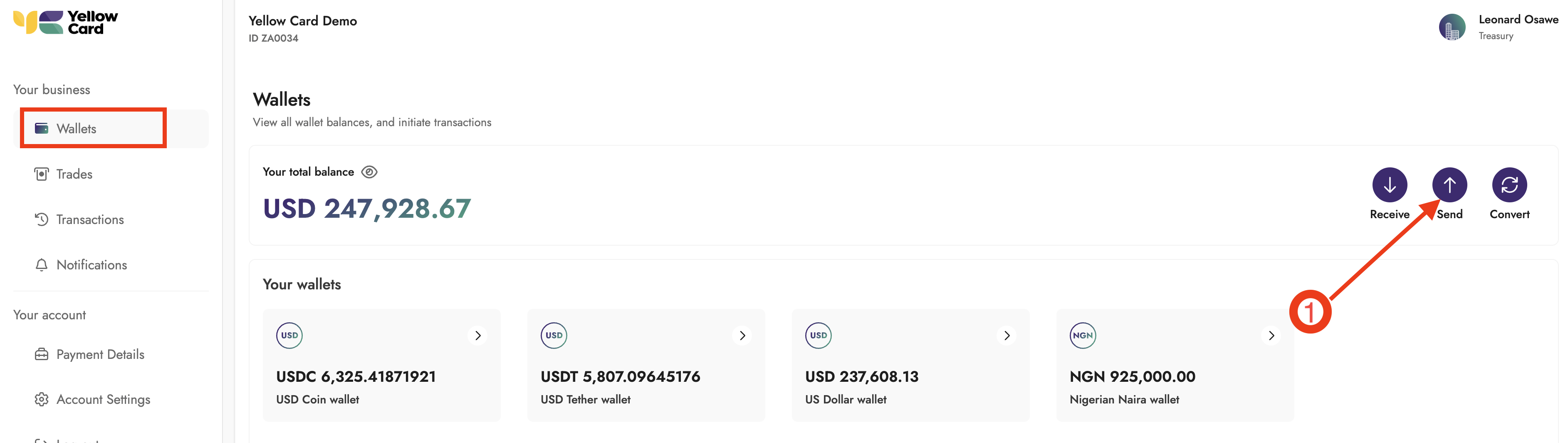
Log in to the Treasury Portal, select Wallets from the dashboard, and click Send to open the pop-up window that begins the process.
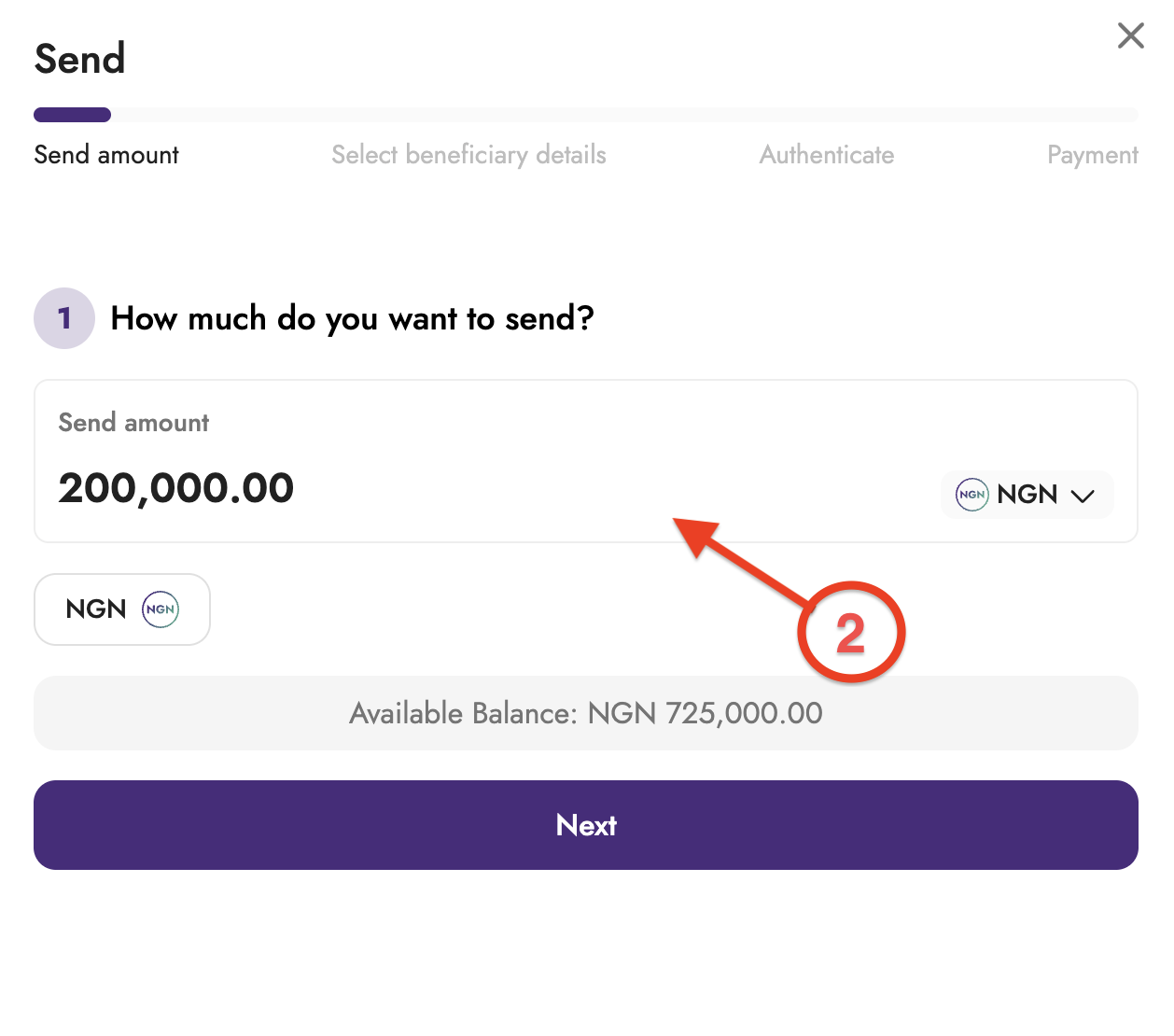
Select the Currency from the dropdown menu, enter the amount you want to send and click Next.
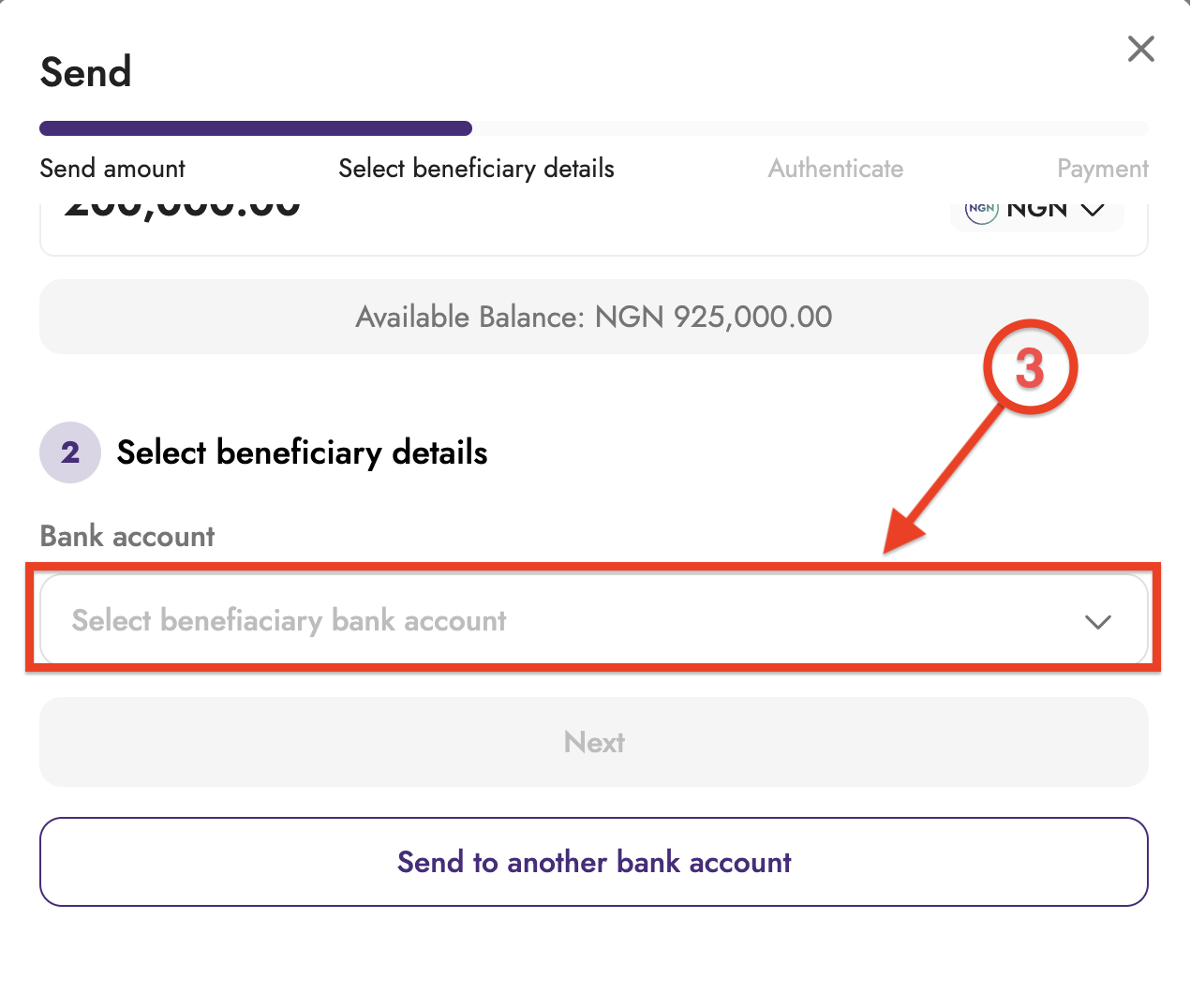
Select the beneficiary details, or, if no beneficiary exists, select Send to another bank account and add the bank account details.
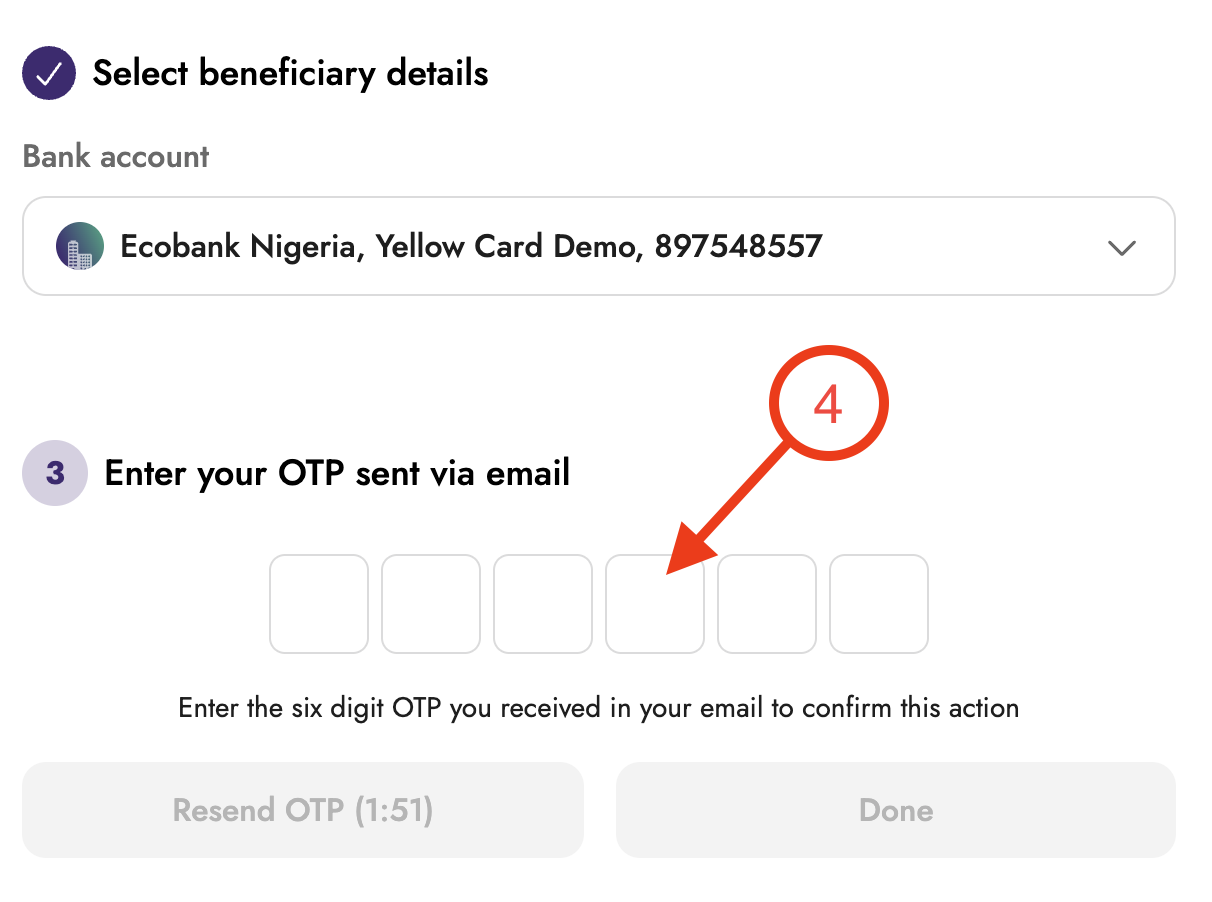
Enter your 2FA code when prompted.
Review the transaction details.
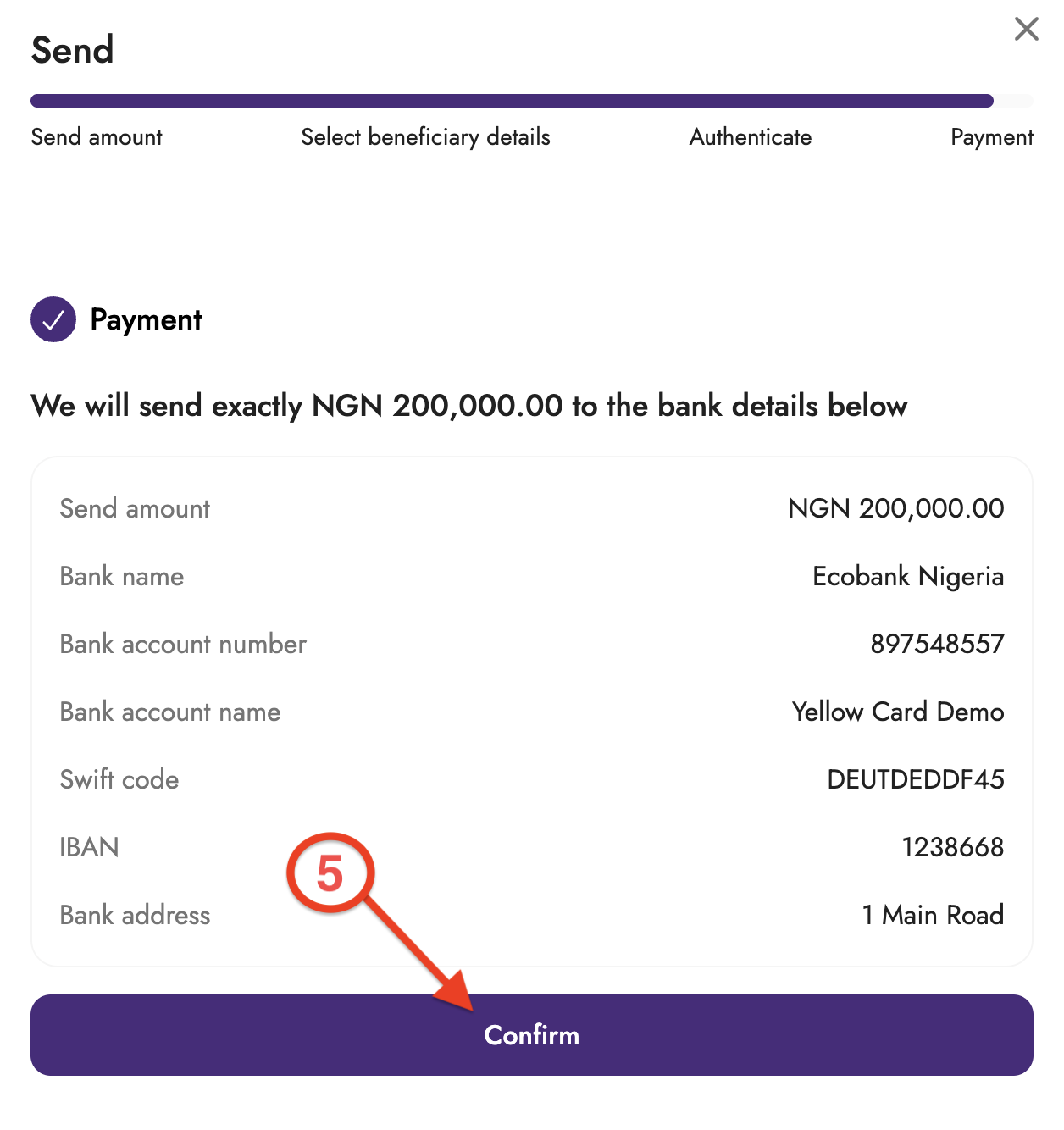
Click Confirm to initiate the send transaction.
Once confirmed, the transaction will be initiated, and the recipient account will be funded accordingly. You can also view the transaction in your recent transaction history on the Wallets tab.