How to Convert Digital Assets on the Treasury Portal
Last updated: September 17, 2026
This guide explains how to convert digital assets within the Treasury Portal. Conversions are initiated from the Wallets section of the dashboard. For conversions above a certain amount, a quote will be generated, and you will be required to review and approve the quote before the conversion is processed.
You can convert:
Stablecoin to local currency (fiat)
Local currency (fiat) to stablecoin
USD to stablecoin
Stablecoin to USD
Follow the steps below to convert digital assets on the Treasury Portal:
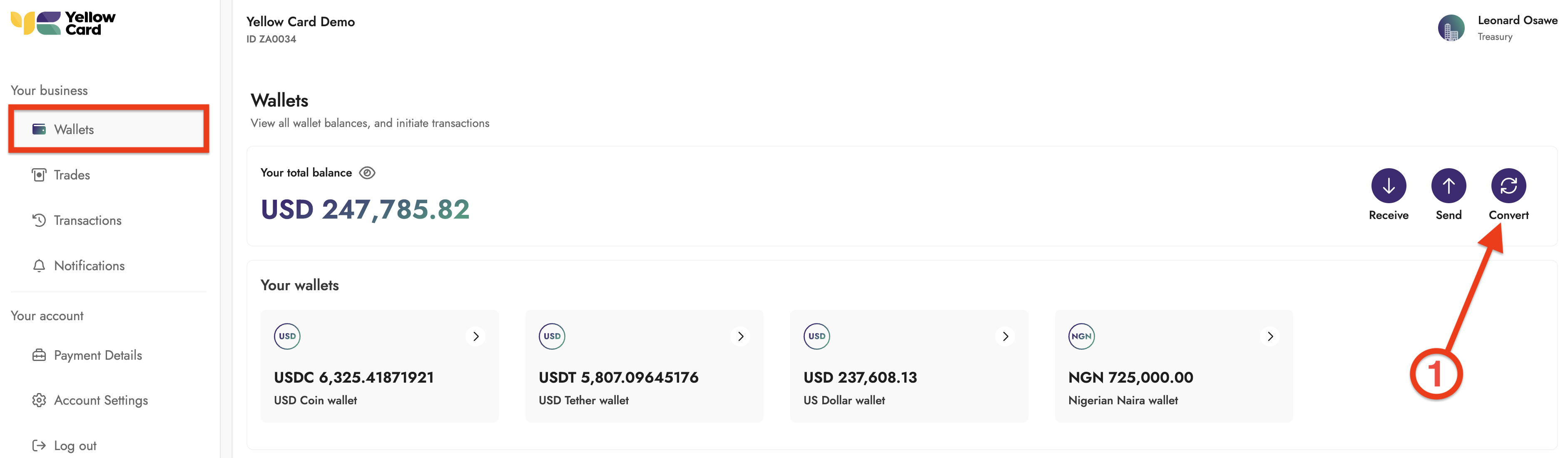
Log in to the Treasury Portal, select Wallets from the dashboard, and click Convert. A pop-up window will appear to begin the conversion process.
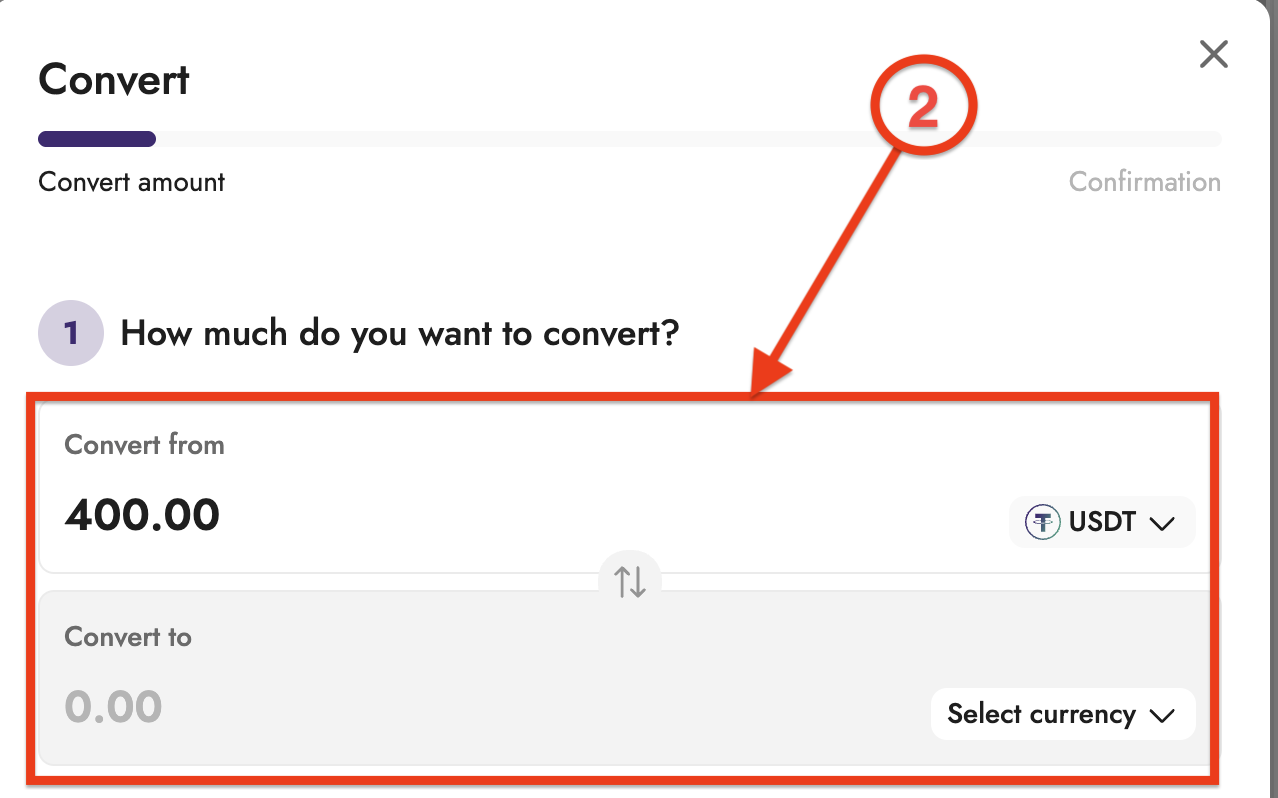
Enter the amount you want to convert.
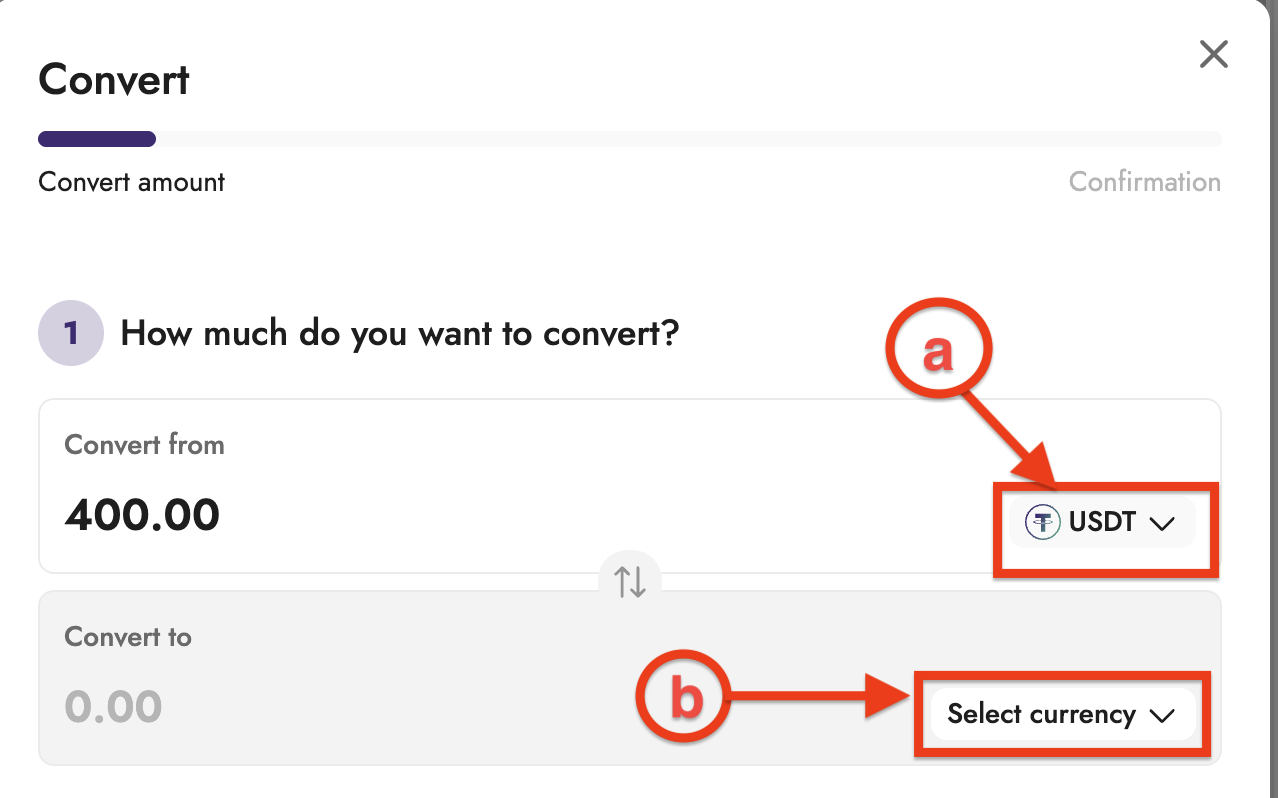
Select the asset you are converting from and the asset you are converting to, and click Next.
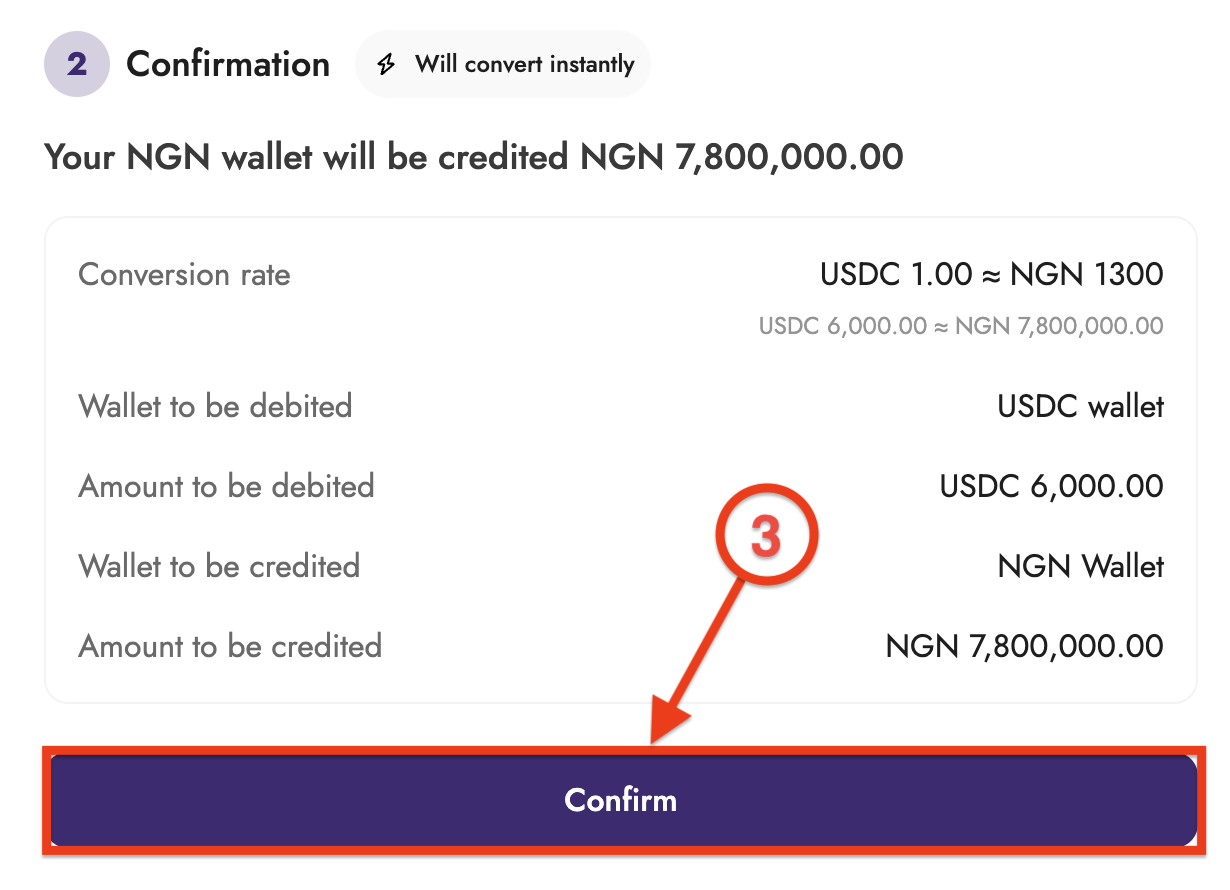
Review the conversion details. If a quote is required, you will be prompted to review and approve the quote before confirmation and click Confirm to proceed.
Once confirmed, the conversion will be processed and will be reflected in your wallet balances.