How to Receive Stablecoin via your API Dashboard
Last updated: October 7, 2026
This guide explains how to fund your wallet on the API Dashboard using supported digital assets. Funding your wallet enables you to test and process transactions seamlessly.
Supported assets
You can top up your wallet using:
USDT (TRC20, CELO, SOL, POL)
USDC (ERC20, XLM, SOL, BASE, CELO)
PYUSD (ERC20)
Sending USDC via XLM (Stellar) requires a memo/destination tag, or funds can be lost
Follow the steps below to receive stablecoins on your API Dashboard:
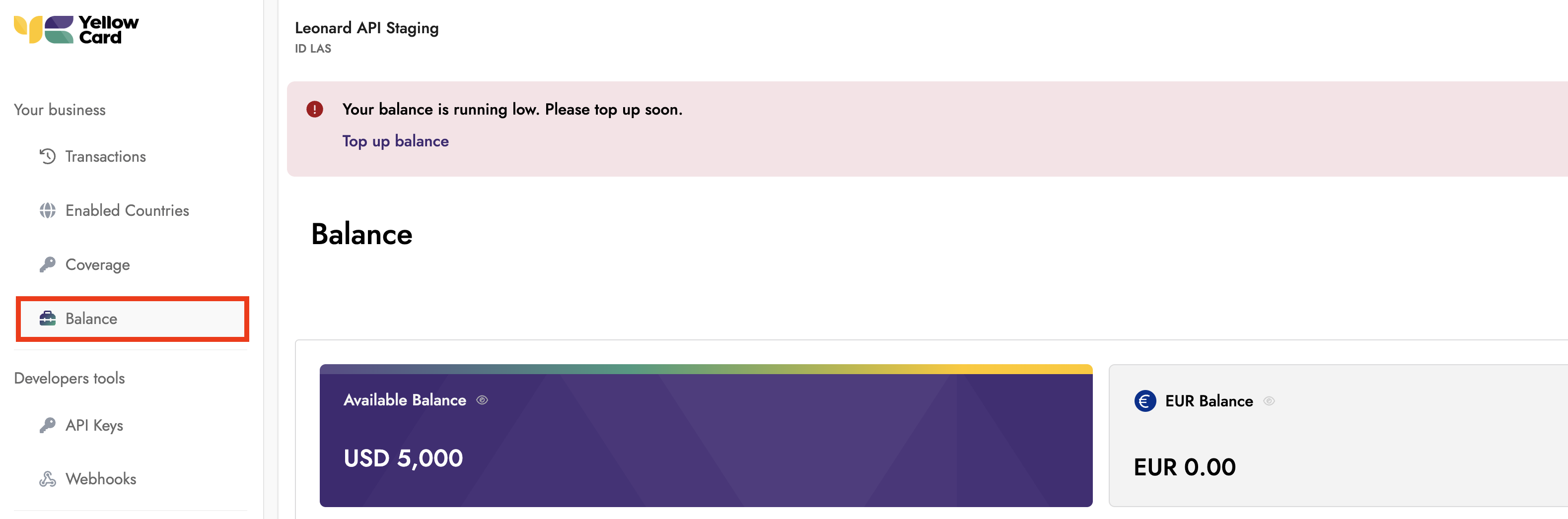
Log in to your API Dashboard and go to the Balance section.
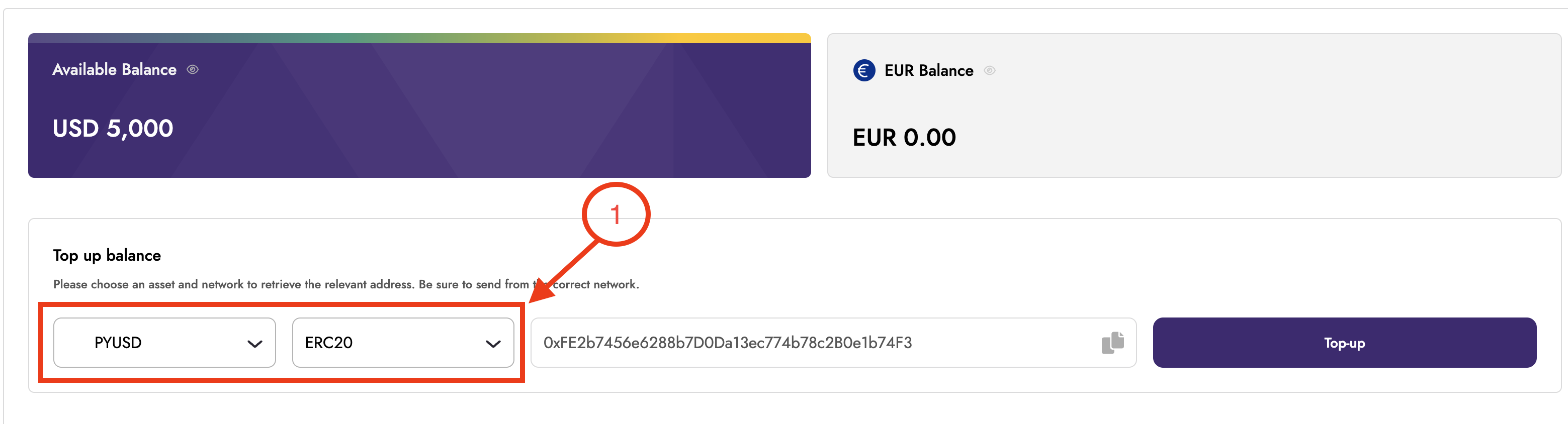
Select the stablecoin wallet you want to fund, then select the asset you want to send to it.
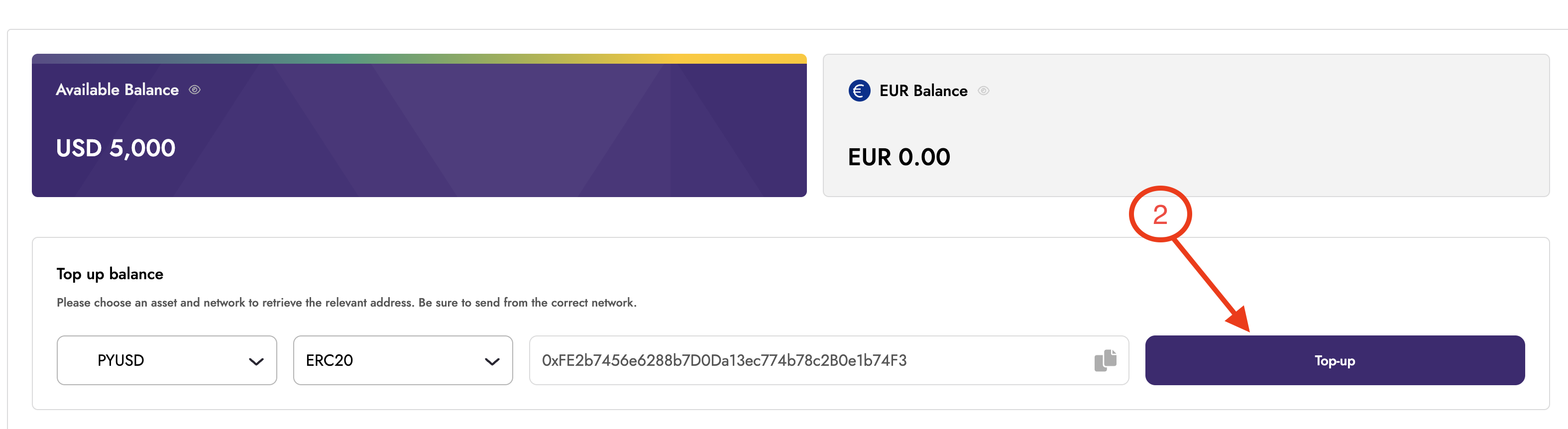
Click on Top-up
Choose your preferred funding method: QR code or wallet address.
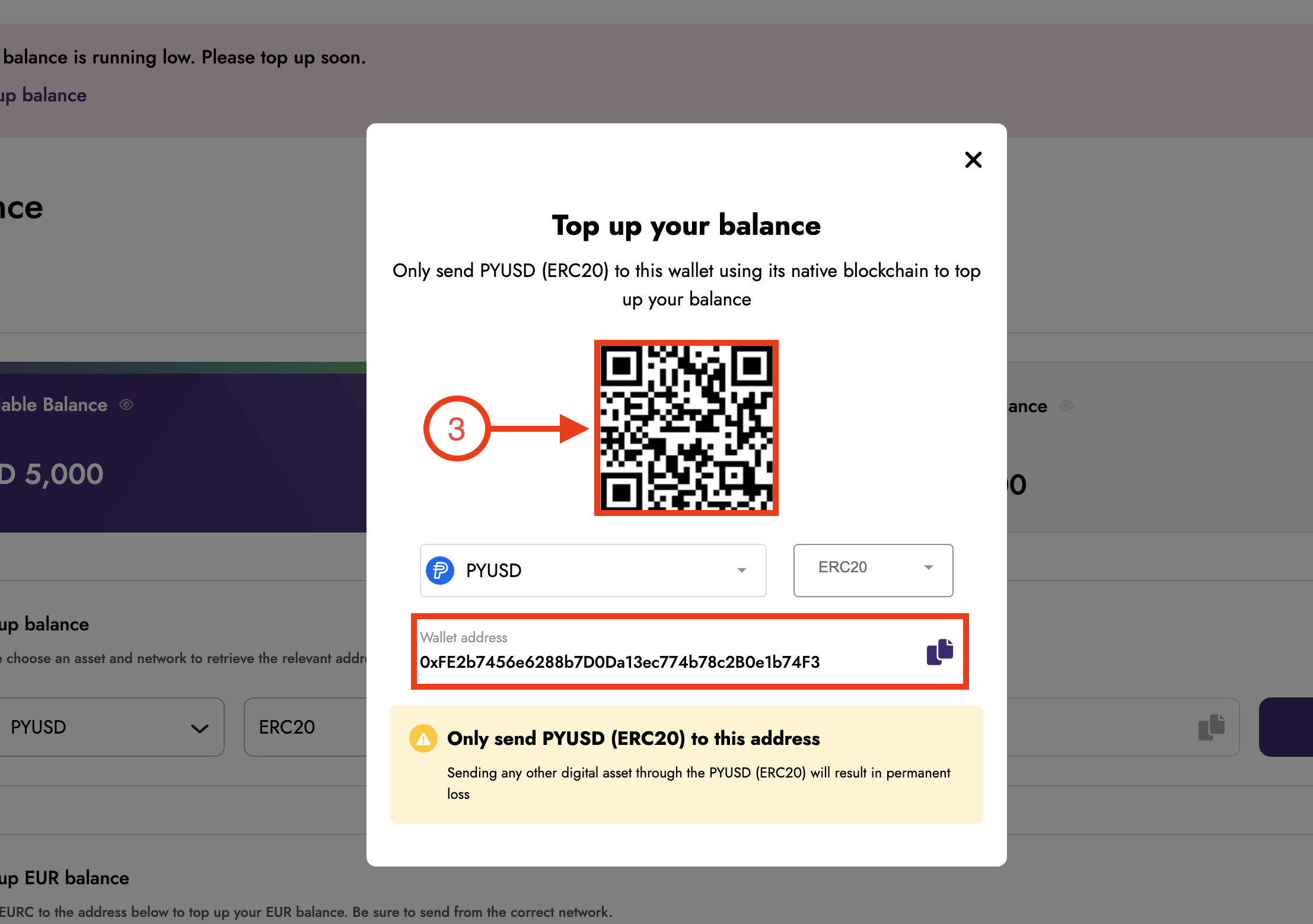
Send the selected asset to the provided address using the chosen network, making sure you always send the correct asset on the correct network.
Once your transaction is successfully processed on the blockchain, your dashboard balance will be credited automatically. Processing times may vary depending on network conditions.
🎉Congratulations
Your wallet has been successfully funded.