How to Create Webhooks
Last updated: September 11, 2026
This guide explains how to create and configure your webhooks. Webhooks are automated messages sent from one system to another when a specific event occurs.
Follow the steps below to create your webhook:
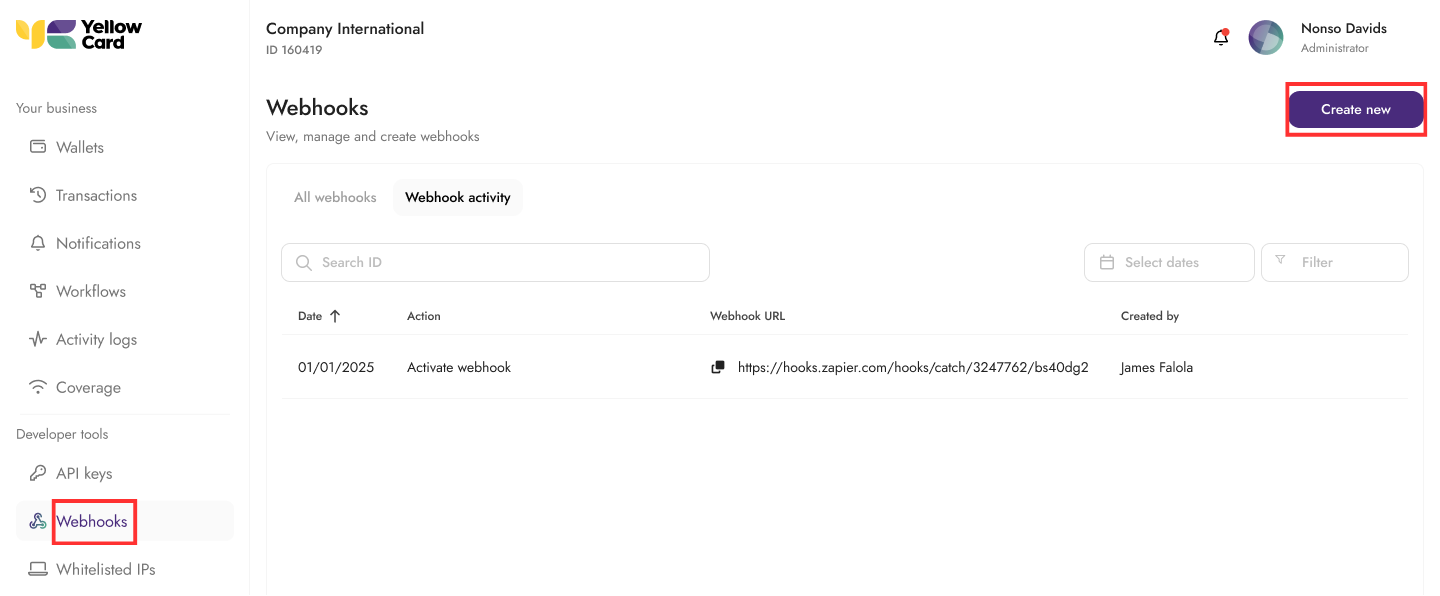
Log in to your API dashboard, scroll to the Webhooks section and click Create New to create your webhook.
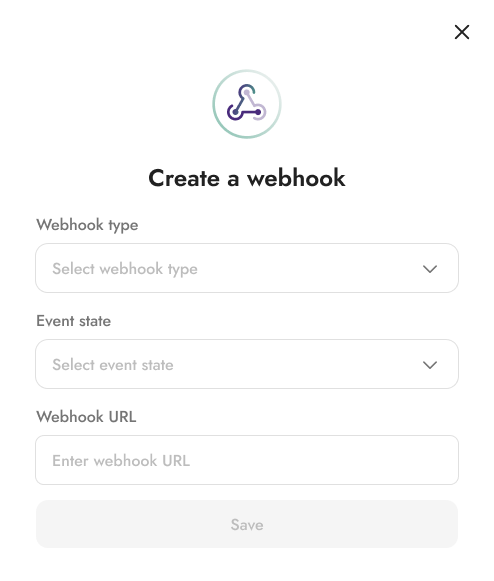
Configure your Webhook. When creating your webhook, you will be prompted to provide the following details:
Transaction type: Select the transaction type you are creating the webhook for (for example, payment, collection, or settlement), or select all for every event.
Event State: Select the event state for when the webhook message will be sent out (for example, expired, failed, processing, or completed).
Webhook URL: Enter the endpoint where webhook events will be delivered.
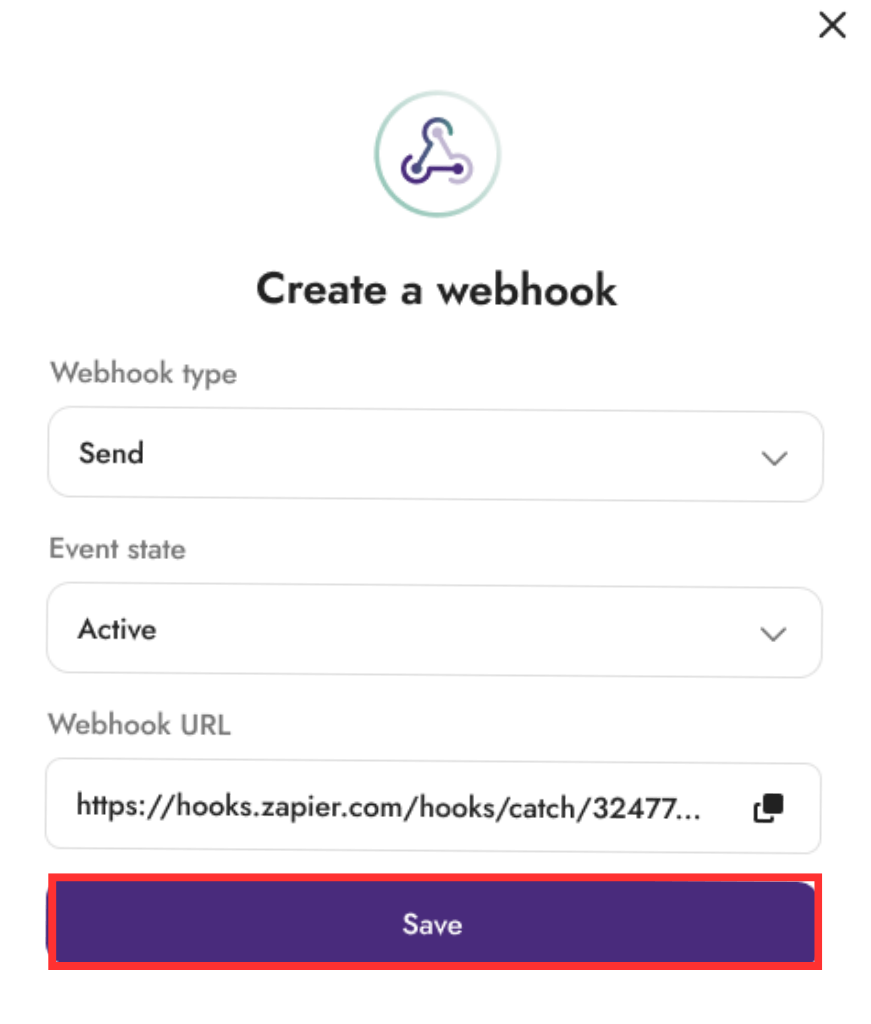
Once all fields are complete, click Save to create your webhook.
Congratulations, your webhook has been created.