How to create an API key
Last updated: September 28, 2026
This guide explains how to create and configure API keys in your Yellowcard API Dashboard. API keys are required to authenticate requests and should be handled securely at all times.
Before you begin, make sure you have the following:
A fully configured account
Active login access to your API Dashboard
Follow the steps below to create your API key:
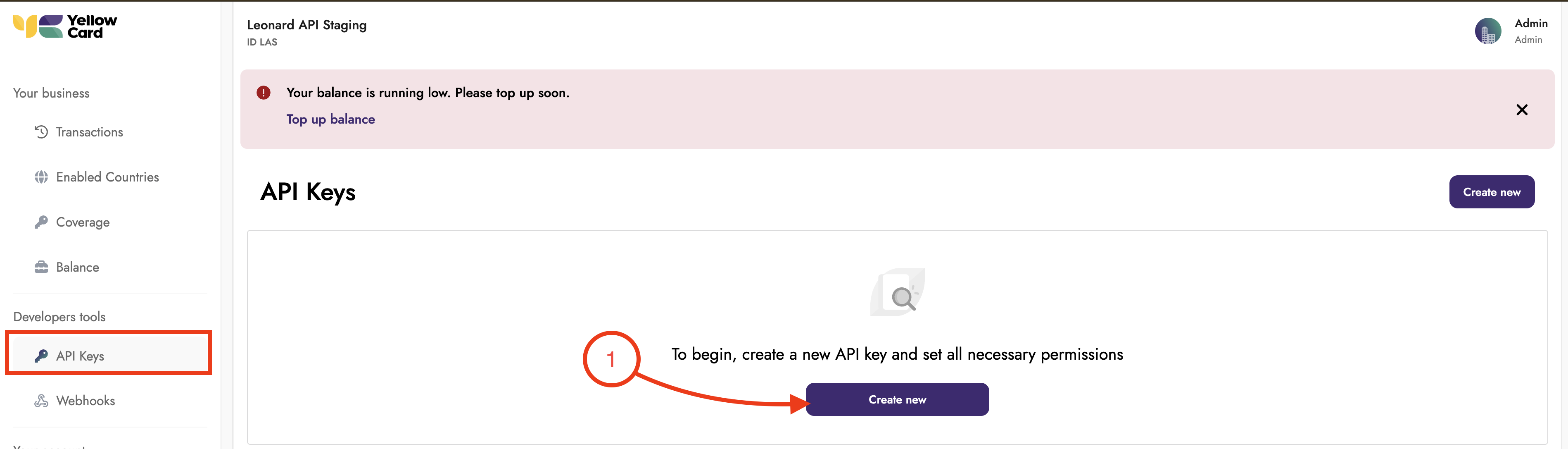
Log into your API dashboard, locate the API keys section, and select Create New.
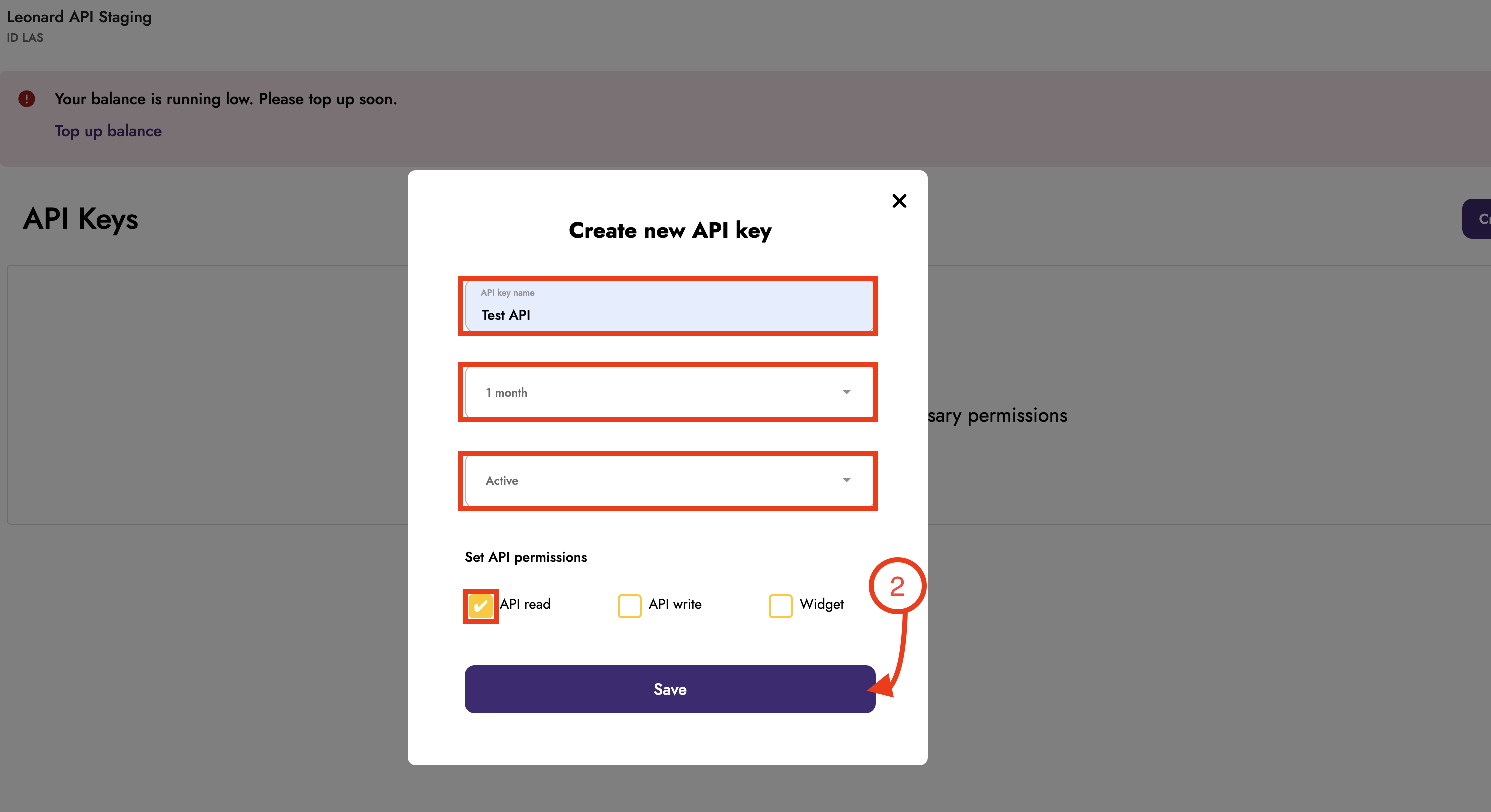
Configure your new API key by specifying the following:
Key Name: A descriptive identifier for the key's intended purpose.
Expiry Date: A validity deadline to enhance security measures.
Status: Choose active or inactive upon creation.
Permissions: Grant only the necessary access permissions for your particular use case.
After completing all required fields, click Save to generate the key.
A pop-up will display your Public Key and Secret Key. Copy both keys and store them somewhere safe, then click Done.
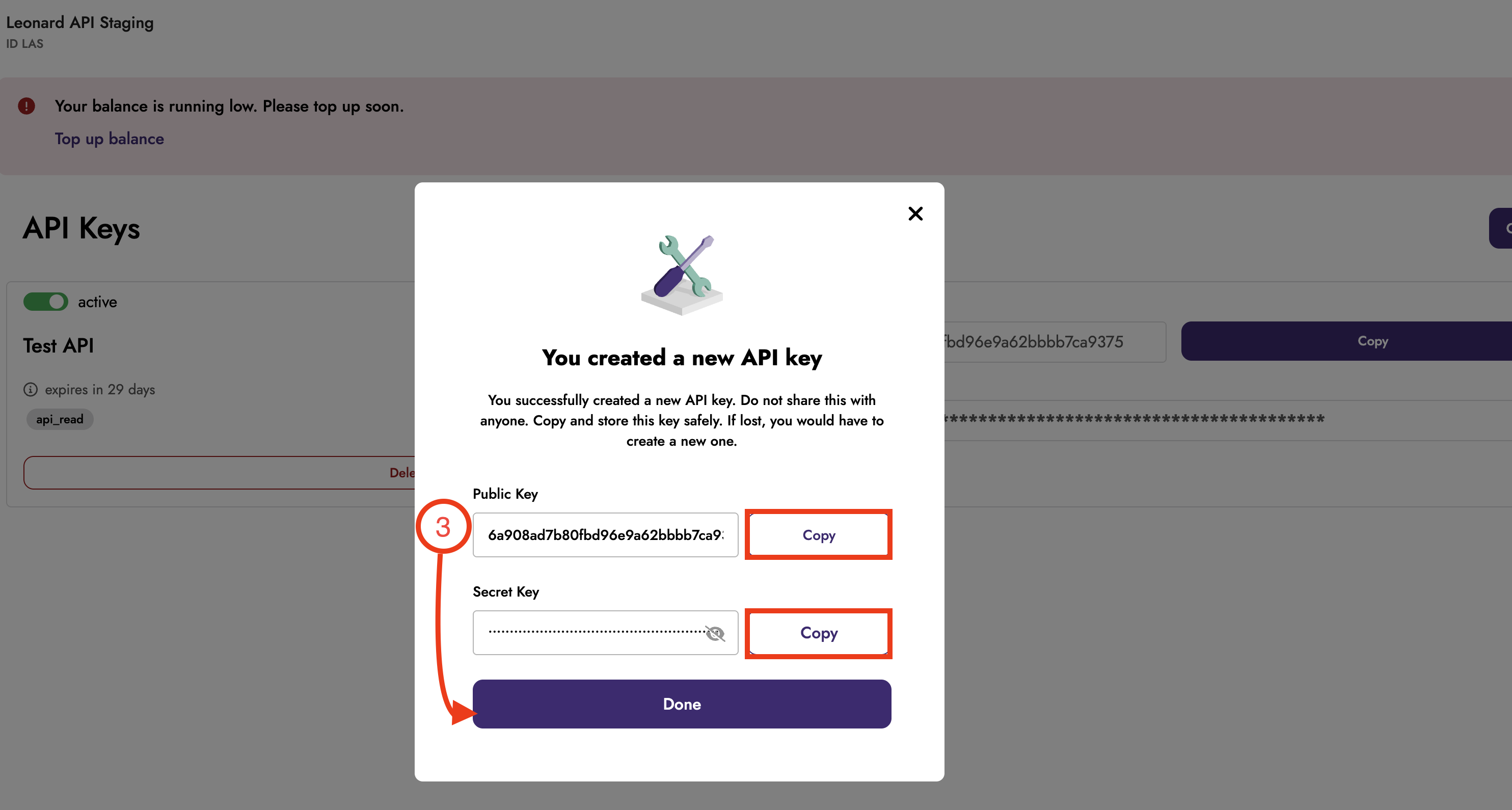
You have successfully created your API Key.